
Advanced Robotics Control Systems
Why modern robotics demands real-time control, safety, and smart software architecture
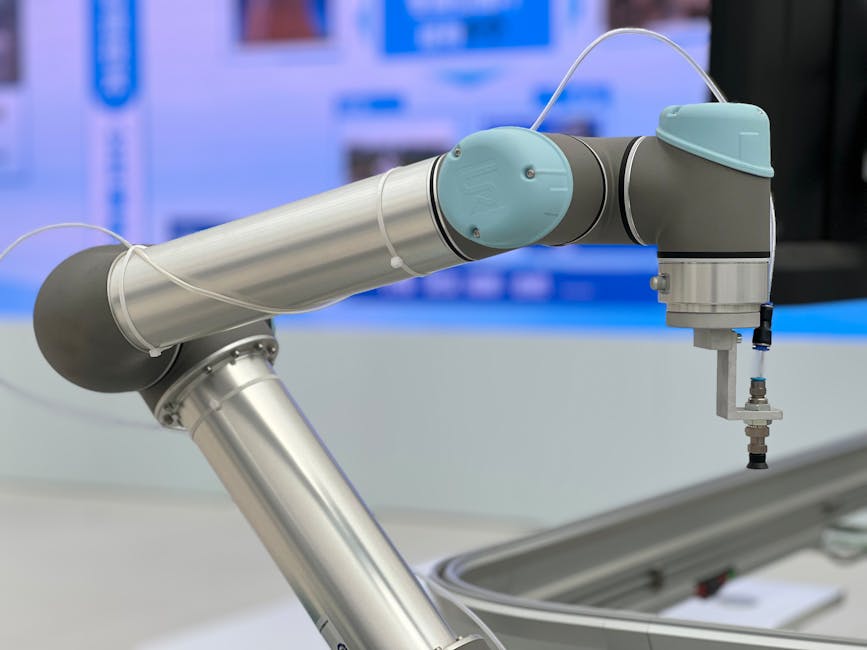
I didn’t fall in love with robotics because of shiny hardware. I fell for it after debugging a motion controller at 2 a.m. that kept jerking a 6-axis arm because someone set the PID gains by “feel” and forgot to handle anti-windup. The next morning we lowered cycle time by 12% just by tuning the trajectory generator and fixing the sample jitter. That experience is why I care about advanced control systems: the right software architecture and control theory turn brittle machines into dependable teammates.
In this article, you’ll learn how modern robotics control systems are built, tested, and deployed. We’ll cover real-time constraints, control patterns from PID to model predictive control (MPC), and how to structure a project that runs safely on real hardware. You’ll see practical code in Python and C++, plus configuration files you can adapt. We’ll talk tradeoffs honestly: when a simple PID is fine, when you need MPC, and why ROS 2 might be the backbone or a liability depending on your constraints.
Where relevant, I’ll reference official documentation and well-known tools. If you need an authoritative starting point for ROS 2, the official ROS 2 documentation is a solid anchor: https://docs.ros.org/en/humble/. For real-time Linux, the PREEMPT_RT patch and related resources are summarized well by the Linux Foundation: https://wiki.linuxfoundation.org/realtime/start.
Context: where robotics control fits today
Robotics control sits at the intersection of real-time computing, control theory, and systems engineering. In practice, most advanced robots use a layered architecture:
- Low-level firmware that talks to sensors and actuators (motor drivers, encoders, IMUs).
- A real-time control loop that runs at kHz rates for stability.
- A higher-level planner that generates trajectories and handles state machines.
- A communication layer (often ROS 2) for integration and observability.
You’ll find this pattern in industrial manipulators, mobile robots, drones, and cobots. The teams that build these systems typically include embedded engineers for the firmware, controls engineers for tuning loops, and robotics software engineers for integration. Alternatives to ROS 2 include Lightweight Communications and Marshalling (LCM) and vendor SDKs from companies like KUKA, FANUC, or Universal Robots. LCM is excellent for low-latency messaging, while ROS 2 offers an ecosystem but can add overhead. The choice depends on your latency budget and integration needs.
From a controls perspective, PID remains the workhorse because it’s simple and predictable. But as tasks get more complex, we see hybrid approaches: feedforward plus PID for tracking, MPC or trajectory optimization for constrained motion, and impedance control for safe interaction. The key is to start simple and only escalate complexity when your task demands it.
Core concepts and practical patterns
Real-time constraints and safe timing
Real-time doesn’t necessarily mean “fast”; it means “predictable.” If your control loop must run every 1 ms, missing a deadline by 200 µs can destabilize the system. On Linux, PREEMPT_RT helps, but you still need careful design: isolate CPUs, lock memory, avoid blocking calls, and measure worst-case execution time.
A practical pattern is to separate critical control from non-critical logging. For example, use a high-priority thread for the control loop and a lower-priority thread for telemetry. If you can’t guarantee real-time on your OS, move the loop to a microcontroller or an FPGA.
Layered architecture and data flow
A clean architecture makes maintenance easier. Consider three layers:
- Hardware abstraction: reads sensors, writes actuators. Avoid logic here; just expose clean APIs.
- Control core: runs the loop, computes control outputs, enforces safety limits.
- Coordination: trajectories, state machines, supervision.
Data should flow in one direction where possible: sensors → control core → actuators. Status and telemetry flow back for monitoring. This minimizes feedback loops that complicate debugging.
PID, feedforward, and tuning
PID is often combined with feedforward torque to reduce tracking error. Feedforward uses a model of the robot’s dynamics to anticipate needed torque; PID corrects for errors and disturbances. In practice, start with P and D, add I carefully to eliminate steady-state error, and implement anti-windup to avoid integrator saturation.
A common mistake is tuning gains in simulation only. Real hardware has friction, backlash, and cable drag. Always validate on the real robot with small, safe motions.
Model predictive control (MPC)
MPC shines when you have constraints: torque limits, velocity limits, obstacle avoidance. It solves a finite-horizon optimization at each step, applying only the first control input. For fast systems, you need efficient solvers (e.g., acados or OSQP) and careful discretization. MPC is computationally heavier; if your loop runs at 1 kHz, you might need an MPC solver that runs in under 1 ms or offload to a separate core.
Impedance and admittance control
For collaborative robots or tasks involving contact, impedance control makes the robot behave like a spring-damper system. This softens impacts and improves safety. Admittance control is the inverse: you measure force and compute a velocity. Choose based on your hardware’s capability and your task’s stiffness requirements.
Safety and watchdogs
No control system is complete without safety layers:
- Software watchdog that resets the controller if the loop stalls.
- Hard limits on torque and velocity.
- Estop handling that cuts power.
- A separate safety PLC or microcontroller for critical applications.
Real-world project structure and code
Below is a typical layout for a robotics control system. It separates hardware, control, coordination, and utilities. This structure supports testing and incremental deployment.
robot_control_project/
├── firmware/
│   ├── drivers/           # Sensor/actuator drivers (encoder, motor, IMU)
│   ├── hal/               # Hardware Abstraction Layer
│   ├── rtos/              # FreeRTOS or Zephyr tasks
│   └── main.cpp           # Entry point
├── control/
│   ├── core/              # PID, MPC, trajectory generator
│   ├── observers/         # State estimation (Kalman, complementary filters)
│   ├── safety/            # Watchdog, limits, estop
│   └── config/            # Gains, constraints
├── coord/
│   ├── state_machine/     # Behavior tree or SMACH
│   ├── planner/           # Trajectory planning
│   └── ros_interface/     # ROS 2 nodes (if used)
├── tools/
│   ├── logger/            # Telemetry (ring buffer, zero-copy where possible)
│   └── simulator/         # Simplified plant for testing
├── tests/
│   ├── unit/              # Unit tests for control components
│   └── hardware/          # Hardware-in-the-loop tests
├── CMakeLists.txt
├── ros2_ws/
│   └── src/
│       └── robot_bringup/ # Launch files, configs
└── README.md
Python example: PID with feedforward for a single joint
This example is intentionally minimal but realistic. It separates the controller from the plant model and shows anti-windup and feedforward. Use it as a starting point for hardware-in-the-loop testing; replace the plant with your driver API.
# control/pid_ff.py
import time

class PID:
    def __init__(self, kp, ki, kd, min_output, max_output, dt):
        self.kp = kp
        self.ki = ki
        self.kd = kd
        self.min_out = min_output
        self.max_out = max_output
        self.dt = dt
        self.integral = 0.0
        self.prev_error = 0.0

    def reset(self):
        self.integral = 0.0
        self.prev_error = 0.0

    def compute(self, setpoint, measured):
        error = setpoint - measured
        self.integral += error * self.dt

        # Anti-windup: clamp integral term
        # Simple approach: clamp after multiplying by ki
        deriv = (error - self.prev_error) / self.dt
        self.prev_error = error

        output = self.kp * error + self.ki * self.integral + self.kd * deriv

        # Clamp output
        if output > self.max_out:
            output = self.max_out
            # Optional: clamp integral to prevent windup
            self.integral -= error * self.dt
        elif output < self.min_out:
            output = self.min_out
            self.integral -= error * self.dt

        return output

class JointController:
    def __init__(self, pid, mass, friction):
        self.pid = pid
        self.mass = mass  # inertia
        self.friction = friction  # viscous friction coefficient

    def feedforward(self, desired_accel, desired_vel):
        # Simple rigid-body model: torque = mass * accel + friction * vel
        return self.mass * desired_accel + self.friction * desired_vel

    def step(self, setpoint_pos, setpoint_vel, setpoint_accel, measured_pos):
        # Compute PID on position error
        pid_out = self.pid.compute(setpoint_pos, measured_pos)

        # Add feedforward for better tracking
        ff = self.feedforward(setpoint_accel, setpoint_vel)

        # Combine and return torque command
        return pid_out + ff

def simulate_control_loop():
    # Simple plant simulation (replace with hardware driver)
    class SimpleJointPlant:
        def __init__(self, mass, friction):
            self.mass = mass
            self.friction = friction
            self.pos = 0.0
            self.vel = 0.0

        def apply_torque(self, torque, dt):
            # a = (torque - friction * vel) / mass
            accel = (torque - self.friction * self.vel) / self.mass
            self.vel += accel * dt
            self.pos += self.vel * dt
            return self.pos

    dt = 0.001  # 1 kHz
    pid = PID(kp=10.0, ki=1.0, kd=0.1, min_output=-5.0, max_output=5.0, dt=dt)
    controller = JointController(pid, mass=0.1, friction=0.05)
    plant = SimpleJointPlant(mass=0.1, friction=0.05)

    t0 = time.time()
    for i in range(1000):
        t = i * dt
        # Trajectory: move to 1 rad with trapezoidal profile
        # Simple: setpoint pos, vel, accel
        setpoint_pos = min(t * 1.0, 1.0)  # ramp to 1 rad
        setpoint_vel = 1.0 if t < 1.0 else 0.0
        setpoint_accel = -1.0 if t >= 1.0 else 0.0

        measured = plant.pos
        torque = controller.step(setpoint_pos, setpoint_vel, setpoint_accel, measured)
        plant.apply_torque(torque, dt)

        # Log every 100 ms for readability
        if i % 100 == 0:
            print(f"t={t:.3f} | setpoint={setpoint_pos:.3f} | measured={plant.pos:.3f} | torque={torque:.3f}")

if __name__ == "__main__":
    simulate_control_loop()
Real-world notes:
- Replace SimpleJointPlant with your actuator driver and sensor interface.
- Move the control loop to a high-priority thread or real-time task.
- Log telemetry asynchronously to avoid blocking the loop.
C++ example: Real-time safe loop skeleton (Linux PREEMPT_RT)
This is a skeleton to illustrate structure. It shows thread setup, priority, and a simple loop. Always validate timing with cyclictest or similar tools.
// control/rt_loop.cpp
#include <pthread.h>
#include <sched.h>
#include <sys/mmanlock.h>
#include <chrono>
#include <thread>
#include <iostream>
// A minimal real-time control loop skeleton.
// Compile with: g++ -O2 -pthread rt_loop.cpp -o rt_loop
// Run with appropriate privileges for priority and memory lock.
struct ControlState {
double position{0.0};
double velocity{0.0};
double torque_cmd{0.0};
bool estop{false};
};
// Replace with real drivers
double read_position() { return 0.0; }
double read_velocity() { return 0.0; }
void write_torque(double torque) { /* hardware write */ }
void configure_rt_thread(pthread_t& thread, int priority) {
struct sched_param param{};
param.sched_priority = priority;
pthread_setschedparam(thread, SCHED_FIFO, ¶m);
// Lock memory to avoid page faults
if (mlockall(MCL_CURRENT | MCL_FUTURE) != 0) {
std::cerr << "Warning: mlockall failed. Real-time may be compromised.\n";
}
}
void control_loop(ControlState& state, std::atomic<bool>& run) {
using clock = std::chrono::steady_clock;
const auto period = std::chrono::microseconds(1000); // 1 kHz
auto next = clock::now();
while (run.load()) {
next += period;
// Read sensors
state.position = read_position();
state.velocity = read_velocity();
// Safety checks
if (state.estop) {
write_torque(0.0);
std::this_thread::sleep_until(next);
continue;
}
// Replace with actual controller
double setpoint_pos = 0.0;
double error = setpoint_pos - state.position;
double kp = 5.0;
double torque = kp * error;
// Hard limits (example)
if (torque > 10.0) torque = 10.0;
if (torque < -10.0) torque = -10.0;
state.torque_cmd = torque;
write_torque(torque);
// Wait until next cycle
std::this_thread::sleep_until(next);
// Optional: log to a lock-free queue for telemetry
}
}
int main() {
ControlState state;
std::atomic<bool> run{true};
pthread_t thread;
if (pthread_create(&thread, nullptr, [](void* arg) -> void* {
auto* s = static_cast<std::pair<ControlState*, std::atomic<bool>*>*>(arg);
configure_rt_thread(pthread_self(), 80); // high priority
control_loop(*s->first, *s->second);
return nullptr;
}, &std::pair{&state, &run}) != 0) {
std::cerr << "Failed to create RT thread.\n";
return 1;
}
// Run for 5 seconds then stop
std::this_thread::sleep_for(std::chrono::seconds(5));
run.store(false);
pthread_join(thread, nullptr);
std::cout << "Loop ended.\n";
return 0;
}
Important:
- Real-time thread priorities require appropriate privileges (CAP_SYS_NICE or root).
- Use a lock-free ring buffer for telemetry to avoid blocking the loop.
- Always measure worst-case execution time and jitter.
ROS 2 integration (optional, for higher-level coordination)
ROS 2 can coordinate planning and monitoring while the control loop runs separately. Here’s a minimal node for telemetry. Use this to observe the loop without slowing it.
// coord/ros_interface/telemetry_node.cpp
#include <rclcpp/rclcpp.hpp>
#include <std_msgs/msg/float64.hpp>

class TelemetryNode : public rclcpp::Node {
public:
    TelemetryNode() : Node("telemetry") {
        pub_ = this->create_publisher<std_msgs::msg::Float64>("measured_position", 10);
        timer_ = this->create_wall_timer(
            std::chrono::milliseconds(10),
            [this]() {
                // In real code, read from a lock-free queue filled by the control loop
                std_msgs::msg::Float64 msg;
                msg.data = last_position.load();
                pub_->publish(msg);
            });
    }
    std::atomic<double> last_position{0.0};
private:
    rclcpp::Publisher<std_msgs::msg::Float64>::SharedPtr pub_;
    rclcpp::TimerBase::SharedPtr timer_;
};

int main(int argc, char** argv) {
    rclcpp::init(argc, argv);
    auto node = std::make_shared<TelemetryNode>();
    rclcpp::spin(node);
    rclcpp::shutdown();
    return 0;
}
Notes:
- Keep the control loop in a separate process or thread to avoid callback-induced jitter.
- Use message queues and zero-copy where possible for large data (e.g., point clouds).
Configuration example: YAML for gains and limits
# control/config/joint_0.yaml
kp: 10.0
ki: 1.0
kd: 0.1
torque_limits:
  min: -5.0
  max: 5.0
velocity_limit: 3.0
safety:
  watchdog_timeout_ms: 10
  estop_pin: 17
Honest evaluation: strengths, weaknesses, and tradeoffs
Strengths
- Modularity: A layered architecture makes testing and maintenance easier. You can swap solvers or drivers without rewriting the world.
- Predictability: With real-time discipline and careful design, you can achieve stable control at kHz rates.
- Flexibility: Hybrid approaches (PID + feedforward + MPC) cover a wide range of tasks from precision motion to constrained manipulation.
Weaknesses
- Complexity: Real-time Linux and robust safety layers require expertise. It’s easy to introduce non-determinism.
- Overkill: PID often suffices. Adding MPC or impedance control can increase computation and tuning time without benefit.
- Integration overhead: ROS 2 is powerful but can introduce latency or fragility if used for the control loop. Separate concerns carefully.
Tradeoffs
- Latency vs. generality: ROS 2 is great for integration; LCM or custom UDP may be better for strict real-time.
- Computation vs. constraints: MPC handles constraints elegantly but needs careful solver selection and validation.
- Safety vs. convenience: Software watchdogs are easy; hardware interlocks are safer. Choose based on risk.
Personal experience: lessons from the bench
I once inherited a cobot project where the integrator had used a single PID loop for both position and force control. It “worked” until the robot touched a compliant surface, then oscillated. The fix wasn’t fancier math, but a clear separation: impedance control for contact tasks, position control with feedforward for free motion. We added a watchdog that disabled torque if the loop jitter exceeded 200 µs. Result: stable contact and safer behavior.
Another lesson: telemetry is priceless. A ring buffer that stores the last 10 seconds of state and commands saved us hours of debugging. When a failure occurred, we replayed the buffer and spotted a transient torque spike caused by a sensor glitch. If you can afford the memory, log everything you can and compress offline.
A third lesson: start with a simulator you trust. A simple rigid-body model won’t capture cable drag or backlash, but it reveals basic stability issues and makes tuning safer. Then move to hardware with small setpoints and ramps.
Getting started: setup, tooling, and workflow
Toolchain and environment
- Linux with PREEMPT_RT or a real-time kernel for control loops (Ubuntu LTS is common).
- For firmware, consider FreeRTOS or Zephyr on microcontrollers; for high-level, use ROS 2 Humble or Iron.
- Build system: CMake for C++, setuptools or poetry for Python.
- Simulation: Gazebo or Ignition for ROS-integrated tests; simple Python simulators for quick iteration.
- Timing tools:
cyclictest,rt-tests, and perf for profiling.
Workflow
- Define requirements: loop frequency, latency budget, safety constraints.
- Prototype in simulation: implement PID, add feedforward, test trajectories.
- Bring up hardware gradually: read sensors, test open-loop torque, then close the loop with low gains.
- Add safety layers: watchdog, limits, estop.
- Integrate coordination: ROS 2 nodes for planning and monitoring, keep the control loop isolated.
- Validate with hardware-in-the-loop tests; measure jitter and execution time.
- Iterate: tune gains, refine models, optimize solver settings.
Project structure tips
- Keep
control/coreindependent of ROS; use interfaces to decouple. - Use a lock-free queue for telemetry from the real-time loop to logging.
- Define a clear error handling strategy: recoverable vs. fatal faults.
- Version configuration files alongside code to reproduce tuning.
What makes this approach stand out
- Maintainability: Clear separation of concerns reduces regressions.
- Developer experience: A solid simulator and telemetry reduce debugging time.
- Real outcomes: Better tracking, safer behavior, and faster iteration cycles.
For many projects, the best “advanced” control is disciplined simplicity: PID + feedforward, real-time discipline, and strong safety layers. For constrained manipulation, MPC or trajectory optimization adds value. For contact tasks, impedance control is a game-changer.
Free learning resources
- ROS 2 Documentation: https://docs.ros.org/en/humble/ — authoritative reference for nodes, lifecycle, and best practices.
- Linux Foundation Real-Time Wiki: https://wiki.linuxfoundation.org/realtime/start — PREEMPT_RT setup and guidance.
- OSQP Solver: https://osqp.org/ — excellent for embedded MPC; practical examples and benchmarks.
- acados: https://acados.github.io/ — fast embedded MPC; useful for real-time constraints.
- LCM Project: https://lcm-proj.github.io/ — low-latency messaging alternative to ROS 2.
Who should use this, and who might skip it
Use advanced robotics control systems when:
- You need precise, predictable motion on real hardware.
- You have safety or reliability requirements that demand layered architecture.
- Your tasks involve constraints (obstacles, torque limits) or contact (impedance control).
Skip or simplify when:
- You’re prototyping in simulation only; a lightweight controller may suffice.
- Latency and jitter aren’t critical; ROS 2 alone may be adequate.
- Your team lacks real-time expertise; consider vendor SDKs or managed cobot platforms.
The takeaway: advanced control is about matching tools to tasks. Start with a solid real-time foundation, keep the control loop simple and deterministic, and layer complexity only when it pays off. If you measure timing, log telemetry, and test safely, you’ll build robots that are not just impressive but dependable.



