
Autonomous Systems Software Architecture
As robots, drones, and autonomous vehicles move from labs to real infrastructure, the way we structure their software determines safety, scalability, and success.
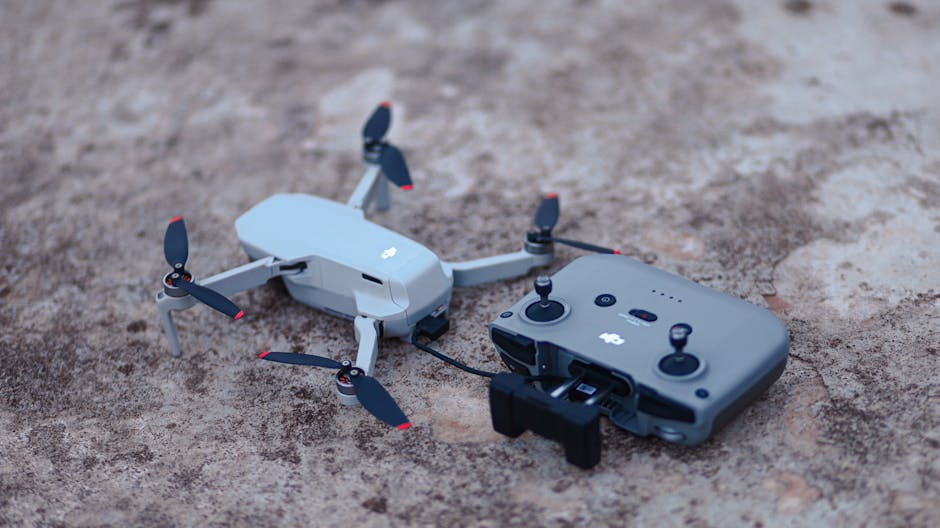
Over the last few years, I have watched autonomous systems shift from one-off research prototypes to components of everyday logistics, agriculture, and inspection. The first time I had a ground robot running a full autonomy stack in a warehouse, the biggest challenge was not the perception model. It was how the code was organized: moving from a single script controlling motors to a system that could handle failures gracefully, run multiple processes safely, and still respond to operator commands in real time. That transition forced me to think about architecture as much as algorithms.
If you are a developer curious about autonomous systems, you might wonder whether it is just “ROS and some perception code.” It can be, but the hard constraints come from determinism, latency, and failure domains. In this post, I will explain what Autonomous Systems Software Architecture means in practice, the tradeoffs you need to make, and patterns that actually work when deadlines, budgets, and safety requirements collide. I will include examples in C++ and Python, as well as configuration snippets and folder structures that reflect real projects.
Autonomous systems are not just “robots.” They include drones, mobile manipulators, autonomous vehicles, and fleets of sensors that must coordinate under resource constraints. The architecture must support modularity for team workflows, deterministic communication between components, and observability when things go wrong. We will look at ROS 2, microservices-like designs for resource-constrained devices, and patterns for safety-critical layers. We will also discuss tradeoffs: when to use ROS 2, when to avoid it, and how to balance real-time performance with development velocity.
Context: where autonomous architectures fit today
Autonomous systems typically run on embedded Linux devices, real-time operating systems (RTOS), or a mix of both. The software stack spans perception, planning, control, and actuation, often with a fleet management layer. Most teams use a middleware for inter-process communication, a real-time execution layer for control, and a separate safety monitor that can take over when the autonomy stack fails.
ROS 2 has become the de facto middleware in robotics. It offersDDS-based communication, composable nodes, and good tooling for debugging and simulation. It is used across research labs, startups, and large OEMs for drones, mobile robots, and manipulators. Autoware is a notable open-source project for autonomous vehicles built on ROS 2, providing modules for perception, planning, and control. Many companies adopt ROS 2 for prototyping and then refine real-time-critical components into separate real-time processes or RTOS tasks.
For embedded devices and microcontrollers, developers often use RTOS solutions like Zephyr or FreeRTOS, especially when determinism and low latency are required. Safety-critical components may be written in C++ with strict coding guidelines, using static analysis tools and formal tests. At the fleet level, microservices running on cloud or edge nodes handle dispatching, monitoring, and data aggregation. Communication with the robot typically uses MQTT or gRPC, while local autonomy uses DDS or custom IPC.
In practice, the architecture depends on constraints. A delivery robot indoors might run a full ROS 2 stack on a Jetson, with a separate real-time controller for motor safety. A long-range drone might split work between a flight controller running PX4 on an STM32 and an application processor running Linux + ROS 2 for perception. Autonomous vehicles often isolate ASIL components on separate hardware and connect to the autonomy stack via gateways, maintaining safety boundaries.
Compared to alternatives:
- ROS 1: Easier for quick prototyping, but lacks built-in real-time features and modern DDS benefits.
- Custom IPC: Can be extremely efficient but adds maintenance overhead and ecosystem friction.
- Microservices over HTTP/gRPC: Good for fleet coordination, but not ideal for high-frequency control loops.
- DDS alone: Powerful but complex to configure and debug without higher-level frameworks.
The real-world trend is hybrid: ROS 2 for modularity and tooling, real-time components where needed, and safety layers that can override autonomy.
Core architectural patterns for autonomous systems
A robust autonomous system architecture is layered. It separates concerns to allow independent development, testing, and safety oversight.
Layered architecture and data flow
A typical stack consists of:
- Hardware layer: actuators, sensors, compute modules.
- Real-time control layer: PID loops, motor control, safety interlocks.
- Perception and state estimation: camera, lidar, IMU processing, localization.
- Planning and decision-making: path planning, obstacle avoidance, mission logic.
- Supervisory layer: mission management, operator interfaces, logging, and diagnostics.
- Safety layer: watchdogs, emergency stops, and fallback controllers.
Data flows from sensors through perception to planning to control. A safety monitor observes critical signals and can cut in if anomalies are detected. This separation allows you to update autonomy modules without risking actuator safety.
Middleware selection: ROS 2 versus alternatives
ROS 2 is popular because it simplifies componentization and tooling. You can write nodes as C++ or Python components, compose them into a single process for efficiency, and introspect topics with command-line tools. However, ROS 2 is not inherently real-time. To meet hard deadlines, developers isolate time-critical tasks into separate real-time processes or even RTOS tasks and bridge them to ROS 2 via a gateway.
Alternatives:
- Zenoh: A lightweight pub/sub protocol suitable for edge and IoT, with good performance and minimal overhead.
- MQTT: Common for fleet communication and telemetry.
- Custom IPC: Useful for tight loops when you want full control over latency and memory.
For many projects, ROS 2 plus a real-time safety bridge is a pragmatic choice. It balances developer productivity with deterministic behavior where it matters.
Real-time considerations and determinism
Real-time does not mean fast. It means predictable timing. Control loops often need 1 kHz updates with bounded jitter. To achieve this:
- Pin real-time threads to specific CPU cores using
isolcpusand set thread priorities withpthread. - Avoid dynamic memory allocation in hot loops.
- Use lock-free queues or preallocated buffers for data transfer.
- Minimize context switches by reducing thread count in critical paths.
In C++, you can bind a thread to a real-time core and set scheduling policy:
#include <pthread.h>
#include <sched.h>
#include <system_error>
void set_realtime(pthread_t thread, int priority) {
struct sched_param param = {};
param.sched_priority = priority;
int ret = pthread_setschedparam(thread, SCHED_FIFO, ¶m);
if (ret != 0) {
throw std::system_error(ret, std::system_category(), "Failed to set RT scheduling");
}
}
void set_affinity(pthread_t thread, int cpu) {
cpu_set_t cpuset;
CPU_ZERO(&cpuset);
CPU_SET(cpu, &cpuset);
int ret = pthread_setaffinity_np(thread, sizeof(cpu_set_t), &cpuset);
if (ret != 0) {
throw std::system_error(ret, std::system_category(), "Failed to set CPU affinity");
}
}
This is typical for a motor control loop. On Linux, you may need appropriate capabilities (e.g., CAP_SYS_NICE) and kernel parameters (CONFIG_PREEMPT_RT or CONFIG_PREEMPT for improved latency). Real-time performance also depends on hardware: some embedded platforms provide dedicated real-time cores or MCUs.
Safety and fault tolerance
Safety layers are often simple and independent. A watchdog monitors heartbeats from autonomy processes. If a heartbeat is missed, the safety controller takes over, commanding a safe state (stop, hold position, or return to base). The safety layer should be:
- Minimal: fewer dependencies, easier to verify.
- Deterministic: strict timing and no dynamic allocations.
- Observable: log transitions and reasons for takeover.
A common pattern is a dual-controller setup: an application processor running autonomy and a separate real-time MCU running a safety controller. The MCU receives setpoints from the application processor but can override them based on fault detection or sensor thresholds.
Data flow and serialization
In perception, you often deal with large payloads (images, point clouds). Efficient serialization and zero-copy patterns matter. ROS 2 supports loaned messages and zero-copy in some cases, but careful design is required. For inter-process transport between Linux and RTOS, shared memory queues are common. For fleet communication, consider:
- Protobuf or FlatBuffers for structured messages.
- Delta encoding and compression for telemetry.
- Backpressure handling to avoid flooding the network.
Example of a shared memory ring buffer for control data (simplified):
#include <atomic>
#include <cstddef>
#include <cstdint>

template <typename T, size_t N>
struct LockFreeRingBuffer {
    static_assert((N & (N - 1)) == 0, "N must be a power of two");
    std::atomic<size_t> head{0};
    std::atomic<size_t> tail{0};
    T buffer[N];

    bool push(const T& item) {
        size_t h = head.load(std::memory_order_relaxed);
        size_t t = tail.load(std::memory_order_acquire);
        size_t next = (h + 1) & (N - 1);
        if (next == t) return false; // full
        buffer[h] = item;
        head.store(next, std::memory_order_release);
        return true;
    }

    bool pop(T& item) {
        size_t t = tail.load(std::memory_order_relaxed);
        size_t h = head.load(std::memory_order_acquire);
        if (t == h) return false; // empty
        item = buffer[t];
        tail.store((t + 1) & (N - 1), std::memory_order_release);
        return true;
    }
};
Use this to pass setpoints from the autonomy thread to a real-time controller thread. Ensure that the data types are trivially copyable and avoid dynamic allocations.
Simulation and testing
Simulation is non-negotiable. Gazebo and Ignition simulate physics and sensors. ROS 2 provides ros2_control for hardware abstraction, enabling the same control code to run in simulation and on real hardware. CI pipelines should include unit tests, integration tests with simulation, and hardware-in-the-loop tests for critical components.
Real-world example: ROS 2 drone perception pipeline
Let’s design a minimal ROS 2 architecture for a drone that uses camera images for obstacle detection and sends velocity commands to a flight controller. We will structure the project for maintainability, include configuration, and show an async processing pattern.
Folder structure
drone_autonomy/
├── src/
│   ├── perception/
│   │   ├── CMakeLists.txt
│   │   ├── package.xml
│   │   ├── include/perception/
│   │   │   └── obstacle_detector.hpp
│   │   └── src/
│   │       ├── obstacle_detector.cpp
│   │       └── main.cpp
│   ├── control/
│   │   ├── CMakeLists.txt
│   │   ├── package.xml
│   │   ├── include/control/
│   │   │   └── velocity_controller.hpp
│   │   └── src/
│   │       ├── velocity_controller.cpp
│   │       └── main.cpp
│   └── safety/
│       ├── CMakeLists.txt
│       ├── package.xml
│       ├── include/safety/
│       │   └── watchdog.hpp
│       └── src/
│           ├── watchdog.cpp
│           └── main.cpp
├── launch/
│   ├── drone.launch.py
│   └── simulation.launch.py
├── config/
│   ├── params.yaml
│   └── qos.yaml
├── docker/
│   └── Dockerfile
└── README.md
ROS 2 packages and components
Perception node (simplified) subscribes to camera images, runs a lightweight detection, and publishes obstacle positions. We will use rclcpp and OpenCV. This example focuses on structure and async patterns rather than full vision code.
Perception header (src/perception/include/perception/obstacle_detector.hpp):
#pragma once
#include <rclcpp/rclcpp.hpp>
#include <sensor_msgs/msg/image.hpp>
#include <geometry_msgs/msg/point.hpp>
#include <opencv2/opencv.hpp>

class ObstacleDetector : public rclcpp::Node {
public:
    ObstacleDetector(const rclcpp::NodeOptions& options);
private:
    void image_callback(const sensor_msgs.msg::Image::SharedPtr msg);
    rclcpp::Subscription<sensor_msgs::msg::Image>::SharedPtr image_sub_;
    rclcpp::Publisher<geometry_msgs::msg::Point>::SharedPtr obstacle_pub_;
};
Perception implementation (src/perception/src/obstacle_detector.cpp):
#include "perception/obstacle_detector.hpp"
#include <cv_bridge/cv_bridge.h>

ObstacleDetector::ObstacleDetector(const rclcpp::NodeOptions& options)
    : Node("obstacle_detector", options) {
    image_sub_ = this->create_subscription<sensor_msgs::msg::Image>(
        "/camera/image", 10, std::bind(&ObstacleDetector::image_callback, this, std::placeholders::_1));
    obstacle_pub_ = this->create_publisher<geometry_msgs::msg::Point>("/obstacle/position", 10);
}

void ObstacleDetector::image_callback(const sensor_msgs::msg::Image::SharedPtr msg) {
    cv::Mat img = cv_bridge::toCvShare(msg, "bgr8")->image;
    // Lightweight detection placeholder: find largest contour
    cv::Mat gray, edges;
    cv::cvtColor(img, gray, cv::COLOR_BGR2GRAY);
    cv::Canny(gray, edges, 50, 150);
    std::vector<std::vector<cv::Point>> contours;
    cv::findContours(edges, contours, cv::RETR_EXTERNAL, cv::CHAIN_APPROX_SIMPLE);

    if (!contours.empty()) {
        auto it = std::max_element(contours.begin(), contours.end(),
            [](const auto& a, const auto& b) { return cv::contourArea(a) < cv::contourArea(b); });
        cv::Moments m = cv::moments(*it);
        double cx = m.m10 / m.m00;
        double cy = m.m01 / m.m00;

        geometry_msgs::msg::Point pt;
        pt.x = cx;
        pt.y = cy;
        pt.z = 0.0;
        obstacle_pub_->publish(pt);
    }
}
Control node receives obstacle position and sends velocity commands. For demonstration, we implement a simple proportional controller to keep the obstacle centered in the frame.
Control header (src/control/include/control/velocity_controller.hpp):
#pragma once
#include <rclcpp/rclcpp.hpp>
#include <geometry_msgs/msg/point.hpp>
#include <geometry_msgs/msg/twist.hpp>

class VelocityController : public rclcpp::Node {
public:
    VelocityController(const rclcpp::NodeOptions& options);
private:
    void obstacle_callback(const geometry_msgs::msg::Point::SharedPtr msg);
    rclcpp::Subscription<geometry_msgs::msg::Point>::SharedPtr obstacle_sub_;
    rclcpp::Publisher<geometry_msgs::msg::Twist>::SharedPtr cmd_pub_;
    rclcpp::TimerBase::SharedPtr timer_;
    void control_loop();
    geometry_msgs::msg::Point last_obstacle_;
    bool has_obstacle_{false};
};
Control implementation (src/control/src/velocity_controller.cpp):
#include "control/velocity_controller.hpp"

VelocityController::VelocityController(const rclcpp::NodeOptions& options)
    : Node("velocity_controller", options) {
    obstacle_sub_ = this->create_subscription<geometry_msgs::msg::Point>(
        "/obstacle/position", 10, std::bind(&VelocityController::obstacle_callback, this, std::placeholders::_1));
    cmd_pub_ = this->create_publisher<geometry_msgs::msg::Twist>("/cmd_vel", 10);
    // 50 Hz control loop
    timer_ = this->create_wall_timer(std::chrono::milliseconds(20), std::bind(&VelocityController::control_loop, this));
}

void VelocityController::obstacle_callback(const geometry_msgs::msg::Point::SharedPtr msg) {
    last_obstacle_ = *msg;
    has_obstacle_ = true;
}

void VelocityController::control_loop() {
    geometry_msgs::msg::Twist cmd;
    if (!has_obstacle_) {
        cmd.linear.x = 0.0;
        cmd.angular.z = 0.0;
        cmd_pub_->publish(cmd);
        return;
    }

    // Simple proportional controller: center the obstacle
    double target_x = 320.0; // center of 640x480 frame
    double error_x = last_obstacle_.x - target_x;
    double k_z = 0.01; // gain for yaw
    cmd.linear.x = 0.2; // move forward slowly
    cmd.angular.z = -k_z * error_x; // rotate to center
    cmd_pub_->publish(cmd);
}
Launch file (launch/drone.launch.py):
from launch import LaunchDescription
from launch_ros.actions import Node

def generate_launch_description():
    return LaunchDescription([
        Node(
            package='perception',
            executable='obstacle_detector',
            name='obstacle_detector',
            output='screen'
        ),
        Node(
            package='control',
            executable='velocity_controller',
            name='velocity_controller',
            output='screen'
        ),
        Node(
            package='safety',
            executable='watchdog',
            name='watchdog',
            output='screen'
        ),
    ])
Configuration (config/params.yaml):
obstacle_detector:
  ros__parameters:
    image_topic: "/camera/image"
    debug: false

velocity_controller:
  ros__parameters:
    loop_hz: 50.0
    forward_speed: 0.2
    yaw_gain: 0.01
Quality of Service settings can be tuned for bandwidth and reliability (config/qos.yaml):
/**:
  ros__parameters:
    qos_profile: "sensor_data"
Safety watchdog and heartbeat
Safety should be isolated. The watchdog can monitor a heartbeat topic published by autonomy processes and trigger a fallback if it stops.
Safety header (src/safety/include/safety/watchdog.hpp):
#pragma once
#include <rclcpp/rclcpp.hpp>
#include <std_msgs/msg/empty.hpp>

class Watchdog : public rclcpp::Node {
public:
    Watchdog(const rclcpp::NodeOptions& options);
private:
    void heartbeat_callback(const std_msgs::msg::Empty::SharedPtr msg);
    void timeout_callback();
    rclcpp::Subscription<std_msgs::msg::Empty>::SharedPtr heartbeat_sub_;
    rclcpp::TimerBase::SharedPtr timeout_timer_;
    rclcpp::Publisher<geometry_msgs::msg::Twist>::SharedPtr cmd_pub_;
    bool heartbeat_received_{false};
};
Safety implementation (src/safety/src/watchdog.cpp):
#include "safety/watchdog.hpp"

Watchdog::Watchdog(const rclcpp::NodeOptions& options)
    : Node("watchdog", options) {
    heartbeat_sub_ = this->create_subscription<std_msgs::msg::Empty>(
        "/heartbeat", 10, std::bind(&Watchdog::heartbeat_callback, this, std::placeholders::_1));
    cmd_pub_ = this->create_publisher<geometry_msgs::msg::Twist>("/cmd_vel", 10);
    // 5 Hz timeout check
    timeout_timer_ = this->create_wall_timer(std::chrono::milliseconds(200),
        std::bind(&Watchdog::timeout_callback, this));
}

void Watchdog::heartbeat_callback(const std_msgs::msg::Empty::SharedPtr /*msg*/) {
    heartbeat_received_ = true;
}

void Watchdog::timeout_callback() {
    if (!heartbeat_received_) {
        geometry_msgs::msg::Twist stop;
        stop.linear.x = 0.0;
        stop.angular.z = 0.0;
        cmd_pub_->publish(stop);
    }
    heartbeat_received_ = false;
}
In real projects, the safety controller runs on a separate MCU and communicates via a dedicated serial link or shared memory. The above is a simplification for clarity.
Async patterns and resource management
Autonomous systems often process sensor data asynchronously. In ROS 2, use callback groups to separate high-frequency sensor callbacks from control loops:
auto callback_group = this->create_callback_group(rclcpp::CallbackGroupType::Reentrant);
image_sub_ = this->create_subscription<sensor_msgs::msg::Image>(
    "/camera/image", 10, std::bind(&ObstacleDetector::image_callback, this, std::placeholders::_1),
    callback_group);
This prevents a slow perception callback from blocking the control timer. In C++, prefer std::unique_ptr for ownership clarity and RAII patterns to avoid leaks in long-running nodes. In Python, use asyncio or threading with careful synchronization, but keep heavy compute in C++ for performance-critical parts.
Typical workflow and CI
In practice, you will iterate using simulation first:
- Launch Ignition/Gazebo simulation.
- Run
ros2 launch drone_autonomy simulation.launch.py. - Observe topics with
ros2 topic echo /cmd_velandros2 topic list. - Profile CPU usage with
toporhtop, and latency withros2 run rqt_runtime_monitor rqt_runtime_monitor.
For CI, include:
- Unit tests for controllers and detectors.
- Linting (clang-format, flake8).
- Static analysis (clang-tidy).
- Simulation-based integration tests with deterministic scenarios.
Honest evaluation: strengths, weaknesses, and tradeoffs
ROS 2 and layered architectures offer strong developer ergonomics and tooling. They enable teams to build complex systems by composing nodes and reusing packages like navigation2, perception libraries, and simulation tools. The ecosystem is mature, with many community examples and industry adoption.
However, ROS 2 is not a silver bullet. It introduces latency and complexity that can be problematic for hard real-time tasks. DDS configuration can be tricky, especially in constrained networks or mixed wired/wireless environments. Dynamic memory allocation in callbacks can cause jitter. The learning curve for ROS 2’s quality-of-service, lifecycle nodes, and components is non-trivial.
When to choose ROS 2:
- You need modularity across perception, planning, and control.
- You want simulation and hardware reuse.
- You have a team that benefits from standardized tooling and debugging.
When to avoid or limit ROS 2:
- You require microseconds-level determinism for control loops. Consider RTOS or isolated real-time processes.
- Your network is unreliable or bandwidth-constrained; Zenoh or custom IPC may be better for telemetry.
- You are building a tiny, single-purpose device where overhead is unacceptable.
Tradeoffs to consider:
- Latency vs. productivity: ROS 2 accelerates development but requires careful tuning for real-time.
- Flexibility vs. complexity: DDS offers rich discovery and reliability but adds configuration burden.
- Python vs. C++: Python speeds up prototyping; C++ ensures performance and determinism in critical paths.
In safety-critical contexts, use standards like ISO 26262 or DO-178C where applicable. Isolate safety functions, implement redundancy, and perform rigorous hazard analysis. Tools like static analysis (Coverity, clang-tidy), fault injection, and formal methods can complement testing.
Personal experience: learning curves and common mistakes
I learned a lot the hard way by mixing real-time control and ROS callbacks in the same thread. The first time I tried to run a 1 kHz motor controller inside a ROS node, I saw jitter spikes whenever the perception callback ran. Moving the controller to its own pinned thread with FIFO scheduling and a lock-free queue fixed it. The lesson: treat timing as a first-class architectural concern, not an afterthought.
Another common mistake is ignoring QoS settings. In one project, telemetry would occasionally drop messages, causing erratic behavior in the fleet. Switching from best-effort to reliable QoS for critical topics and adding a backpressure mechanism resolved it. Simulation had not caught it because the network was perfect there.
One moment that made the architecture shine was during a field test when the autonomy stack froze due to a rare memory allocation failure. The watchdog took over and brought the robot to a safe stop. Reviewing logs showed a burst of messages flooding the system. Adding rate limiting and a defensive allocation strategy prevented recurrence. That experience convinced me to always include a safety layer even for prototypes.
Getting started: setup, tooling, and mental models
If you are new to autonomous systems, start with a clean project layout and a simulation-first workflow. Use Docker for reproducible environments, especially when dealing with CUDA, ROS 2, and multiple dependencies.
Example Dockerfile snippet for ROS 2 Humble with CUDA support:
FROM nvcr.io/nvidia/l4t-base:r35.2.1
ENV DEBIAN_FRONTEND=noninteractive
RUN apt-get update && apt-get install -y \
    software-properties-common \
    && add-apt-repository -y ppa:ubuntu-toolchain-r/test \
    && apt-get update && apt-get install -y \
    g++-11 \
    cmake \
    git \
    wget \
    curl \
    && rm -rf /var/lib/apt/lists/*

RUN apt-get update && apt-get install -y \
    ros-humble-desktop \
    python3-colcon-common-extensions \
    python3-rosdep \
    && rosdep init || true \
    && rosdep update

ENV CC=/usr/bin/gcc-11
ENV CXX=/usr/bin/g++-11
ENV ROS_DOMAIN_ID=42
WORKDIR /workspace
Mental model for workflow:
- Prototype in Python with ROS 2 nodes to validate perception and control interfaces.
- Move performance-critical parts to C++ with component nodes for composition.
- Isolate real-time control in a pinned thread or RTOS task; bridge via shared memory or a gateway node.
- Simulate early and often; replicate sensor data patterns from the field.
- Add observability: structured logging, topic monitoring, and latency histograms.
Project structure guidance:
- Keep one repository per layer (perception, control, safety) if teams are large; a monorepo can work for small teams.
- Use semantic versioning for packages and clear interfaces between nodes.
- Enforce code style and static analysis in CI.
- Document QoS policies and threading models in the README.
Free learning resources
- ROS 2 Documentation: https://docs.ros.org/en/humble/ — Comprehensive guide to ROS 2 concepts, tools, and best practices.
- Autoware Foundation: https://autoware.org/ — Open-source autonomous vehicle software built on ROS 2; useful for architecture patterns and modules.
- PX4 Autopilot: https://docs.px4.io/main/en/ — Flight control stack with guidance on RTOS and hardware integration.
- Zenoh: https://zenoh.io/ — Lightweight pub/sub protocol suitable for edge and IoT.
- Zephyr RTOS: https://zephyrproject.org/ — Real-time operating system for constrained devices; good reference for safety and determinism.
- ROS 2 Control: https://control.ros.org/ — Hardware abstraction and controller interfaces for simulation and real hardware.
- Gazebo and Ignition Simulation: https://gazebosim.org/ — Physics simulation for testing autonomy stacks.
- Industrial automation standards references (IEC 61508, ISO 26262) — For safety-critical design principles; consult official documentation and industry guides.
Summary: who should use this architecture and who might skip it
Autonomous Systems Software Architecture, centered around ROS 2 with isolated real-time components and a safety layer, is ideal for:
- Teams building mobile robots, drones, or manipulators where modularity and simulation matter.
- Projects that span perception, planning, and control, with a need for strong tooling and observability.
- Developers who benefit from a rich ecosystem and are willing to invest in tuning for real-time constraints.
You might skip or limit this approach if:
- You need microseconds-level determinism for control loops and cannot isolate them from ROS. Consider RTOS or a minimal custom stack.
- Your device is extremely resource-constrained and ROS overhead is prohibitive.
- Your fleet communication is mostly telemetry over unreliable networks; Zenoh or MQTT may be better suited for the edge layer.
The takeaway is pragmatic: start with an architecture that lets you iterate quickly, but design boundaries so you can replace parts that do not meet timing or safety requirements. The most valuable property of a good autonomous system architecture is changeability: the ability to swap components, add safety layers, and evolve without rewriting everything. In the real world, systems that last are the ones that can adapt as constraints shift and new requirements arrive.



