
Biometric Authentication Implementation
Why biometrics are moving from optional to expected in modern applications
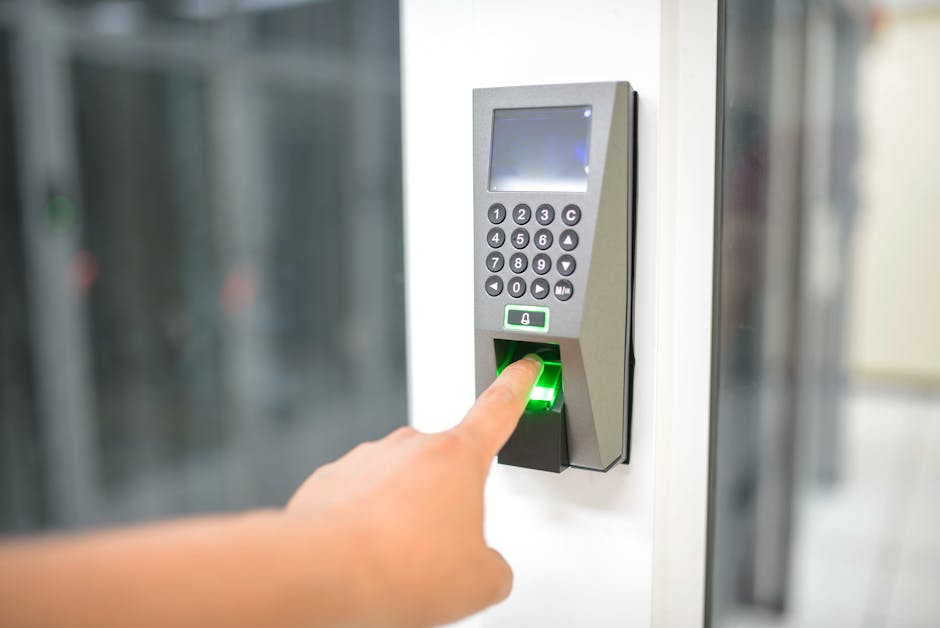
Biometric authentication has quietly shifted from a luxury feature to something users now expect, especially on mobile and in high‑trust workflows. As developers, we are asked to implement “login with fingerprint” or “face unlock” with increasing frequency. The challenge is not just calling an API but understanding the trust boundaries, platform constraints, and failure modes that come with handling biometric data. In this post, I will walk through practical implementation patterns, tradeoffs, and lessons learned from real projects where biometric authentication was added to existing systems.
You will see why biometrics are a useful companion to passwords rather than a wholesale replacement, how to design flows that degrade gracefully, and where platform differences matter most. The goal is to give you enough context to make informed decisions and avoid common pitfalls, such as trusting vendor marketing or ignoring accessibility and fallback paths.
Where biometric authentication fits today
Biometric authentication is now part of standard OS capabilities. On Android, the androidx.biometric library consolidates access to hardware-backed prompts and keystore integration. On iOS, LocalAuthentication provides system prompts, and the Secure Enclave handles key protection. In the browser, WebAuthn enables passwordless and multi-factor flows using platform authenticators like Touch ID and Windows Hello.
Real-world usage typically looks like this:
- Mobile apps protect high-value actions like payments, document signing, or accessing sensitive records.
- Web apps use WebAuthn for second-factor or passwordless login, reducing reliance on SMS and phishing-prone credentials.
- Kiosks, IoT devices, and industrial terminals sometimes add fingerprint modules for operator accountability, though the threat model and hardware vary widely.
Compared to alternatives, biometrics are convenient and reduce cognitive load, but they are not secret. Fingerprints and face data are frequently stored as mathematical templates, not images, but the policy landscape treats biometrics as sensitive personal data. Compared to OTPs or hardware keys, biometrics improve UX and can resist some forms of remote phishing. Compared to passwords alone, they often improve security hygiene by reducing password reuse, but they also introduce enrollment integrity and liveness concerns. A balanced approach is biometric as a factor in MFA, or as a local unlock for keys derived from a stronger secret, rather than as a standalone master credential.
Core concepts and implementation patterns
Trust boundaries and what you are actually verifying
When a user authenticates with a fingerprint or face, the OS typically confirms that the user has passed a liveness check and matched a stored template. The OS then attests to the app that the authentication succeeded. In most cases, this is an assertion that the device’s trusted execution environment validated the biometric, not a proof that the biometric itself is uncompromised.
From a security design perspective, a common pattern is to bind biometric unlock to a cryptographic key stored in a hardware-backed keystore. The biometric prompt authorizes use of the key, not direct access to data. This avoids storing raw biometric data in your app and lets you rely on platform hardening.
Android implementation with hardware-bound keys
On Android, the recommended flow is:
- Generate or retrieve a hardware-bound key in the Android Keystore (e.g., AES key with
KeyGenParameterSpecthat requires user authentication for use). - Prompt with
BiometricPromptandBiometricManagerto check availability and capability. - When the user authenticates, the keystore releases the key for a short window, allowing you to decrypt a token or sign a challenge.
Below is a compact example that sets up a symmetric key requiring biometric authentication for use, and then uses it to decrypt data. This pattern is common for protecting session tokens or local secrets. The keystore ensures the key material never leaves the TEE.
// Android app module: Kotlin
// Dependencies (for reference):
// androidx.biometric:biometric
// androidx.security:security-crypto

import android.security.keystore.KeyProperties
import android.security.keystore.KeyGenParameterSpec
import java.security.KeyStore
import javax.crypto.Cipher
import javax.crypto.KeyGenerator
import javax.crypto.SecretKey
import javax.crypto.spec.GCMParameterSpec
import androidx.biometric.BiometricPrompt
import androidx.biometric.BiometricManager
import androidx.fragment.app.FragmentActivity
import java.util.concurrent.Executor

fun createOrGetBioBoundKey(alias: String): SecretKey {
    val keyStore = KeyStore.getInstance("AndroidKeyStore")
    keyStore.load(null)

    val key = keyStore.getKey(alias, null) as? SecretKey
    if (key != null) return key

    val keyGenerator = KeyGenerator.getInstance(KeyProperties.KEY_ALGORITHM_AES, "AndroidKeyStore")
    val builder = KeyGenParameterSpec.Builder(
        alias,
        KeyProperties.PURPOSE_ENCRYPT or KeyProperties.PURPOSE_DECRYPT
    )
        .setBlockModes(KeyProperties.BLOCK_MODE_GCM)
        .setEncryptionPaddings(KeyProperties.ENCRYPTION_PADDING_NONE)
        .setUserAuthenticationRequired(true)
        .setInvalidatedByBiometricEnrollment(true)

    keyGenerator.init(builder.build())
    return keyGenerator.generateKey()
}

fun buildCryptoForPrompt(alias: String, forEncryption: Boolean): Cipher {
    val keyStore = KeyStore.getInstance("AndroidKeyStore")
    keyStore.load(null)
    val secretKey = keyStore.getKey(alias, null) as SecretKey

    val cipher = Cipher.getInstance("${KeyProperties.KEY_ALGORITHM_AES}/${KeyProperties.BLOCK_MODE_GCM}/${KeyProperties.ENCRYPTION_PADDING_NONE}")
    if (forEncryption) {
        cipher.init(Cipher.ENCRYPT_MODE, secretKey)
    } else {
        // For decryption, you will need to restore the IV used during encryption
        // Example omitted here for brevity; store IV alongside ciphertext
        val iv = ByteArray(12) // example, load from storage
        cipher.init(Cipher.DECRYPT_MODE, secretKey, GCMParameterSpec(128, iv))
    }
    return cipher
}

fun showBiometricPrompt(
    activity: FragmentActivity,
    title: String,
    subtitle: String,
    crypto: Cipher?,
    onSuccess: (BiometricPrompt.AuthenticationResult) -> Unit,
    onFailure: (error: Int, errmsg: String) -> Unit
) {
    val executor = Executor { it.run() }
    val promptInfo = BiometricPrompt.PromptInfo.Builder()
        .setTitle(title)
        .setSubtitle(subtitle)
        .setAllowedAuthenticators(BiometricManager.Authenticators.BIOMETRIC_STRONG)
        .setNegativeButtonText("Cancel")
        .build()

    val biometricPrompt = BiometricPrompt(activity, executor,
        object : BiometricPrompt.AuthenticationCallback() {
            override fun onAuthenticationSucceeded(result: BiometricPrompt.AuthenticationResult) {
                super.onAuthenticationSucceeded(result)
                onSuccess(result)
            }

            override fun onAuthenticationError(errorCode: Int, errString: CharSequence) {
                super.onAuthenticationError(errorCode, errString)
                onFailure(errorCode, errString.toString())
            }

            override fun onAuthenticationFailed() {
                super.onAuthenticationFailed()
                // User presented a biometric but did not match
            }
        })

    if (crypto != null) {
        biometricPrompt.authenticate(promptInfo, BiometricPrompt.CryptoObject(crypto))
    } else {
        biometricPrompt.authenticate(promptInfo)
    }
}

// Usage sketch in an Activity
class MyActivity : FragmentActivity() {
    private val KEY_ALIAS = "com.example.app.bio_key_v1"

    fun unlockWithBiometrics() {
        val manager = BiometricManager.from(this)
        when (manager.canAuthenticate(BiometricManager.Authenticators.BIOMETRIC_STRONG)) {
            BiometricManager.BIOMETRIC_SUCCESS -> {
                val cipher = buildCryptoForPrompt(KEY_ALIAS, forEncryption = false)
                showBiometricPrompt(
                    activity = this,
                    title = "Unlock your data",
                    subtitle = "Use fingerprint or face to proceed",
                    crypto = cipher,
                    onSuccess = { result ->
                        result.cryptoObject?.cipher?.let { cipher ->
                            // Decrypt token from storage using this cipher
                            // e.g., val token = decrypt(cipher, ciphertext, iv)
                        }
                    },
                    onFailure = { code, msg ->
                        // Fall back to passphrase or show error
                    }
                )
            }
            else -> {
                // Not enrolled or not strong enough, fall back
            }
        }
    }
}
A few important notes:
setUserAuthenticationRequired(true)binds key use to a successful biometric prompt. Some devices support strong or weak biometrics; select the allowed authenticators according to your threat model.setInvalidatedByBiometricEnrollment(true)ensures keys are invalidated if new fingerprints are enrolled, which helps mitigate the risk of unauthorized enrollments.- Do not store the key material externally; rely on the keystore. Store only ciphertext and IVs.
iOS implementation with LocalAuthentication and Keychain
On iOS, the pattern is similar but uses Keychain access control and LAContext. A common setup is to create a Keychain item with kSecAccessControlBiometryCurrentSet and kSecAttrAccessibleWhenUnlockedThisDeviceOnly. The system prompts automatically when your app tries to read or write the item.
Here is a Swift example for creating and reading a protected Keychain item. This secures a token with biometric access control.
import LocalAuthentication
import Security

func createBioProtectedKeychainItem(data: Data, account: String) -> Bool {
    let accessControl = SecAccessControlCreateWithFlags(
        kCFAllocatorDefault,
        kSecAttrAccessibleWhenUnlockedThisDeviceOnly,
        [.biometryCurrentSet],
        nil
    )!

    let query: [String: Any] = [
        kSecClass as String: kSecClassGenericPassword,
        kSecAttrAccount as String: account,
        kSecAttrAccessControl as String: accessControl,
        kSecValueData as String: data
    ]

    SecItemDelete(query as CFDictionary) // clear previous if any
    let status = SecItemAdd(query as CFDictionary, nil)
    return status == errSecSuccess
}

func readBioProtectedKeychainItem(account: String, context: LAContext? = nil) -> Data? {
    var query: [String: Any] = [
        kSecClass as String: kSecClassGenericPassword,
        kSecAttrAccount as String: account,
        kSecReturnData as String: true,
        kSecMatchLimit as String: kSecMatchLimitOne,
        kSecUseAuthenticationContext as String: context ?? LAContext()
    ]

    var item: CFTypeRef?
    let status = SecItemCopyMatching(query as CFDictionary, &item)
    guard status == errSecSuccess,
          let result = item as? Data else { return nil }
    return result
}
For non-Keychain flows, you can evaluate policy directly with LAContext:
import LocalAuthentication

func evaluateBiometrics(reason: String, context: LAContext, completion: @escaping (Bool, Error?) -> Void) {
    var error: NSError?
    if context.canEvaluatePolicy(.deviceOwnerAuthenticationWithBiometrics, error: &error) {
        context.evaluatePolicy(.deviceOwnerAuthenticationWithBiometrics, localizedReason: reason) { success, evaluateError in
            DispatchQueue.main.async {
                completion(success, evaluateError)
            }
        }
    } else {
        DispatchQueue.main.async {
            completion(false, error)
        }
    }
}
Practical tips:
- Use
kSecAttrAccessControlBiometryCurrentSetto invalidate on new enrollment if you want strict binding. UsekSecAttrAccessControlBiometryAnyif you allow any enrolled biometric. - Always provide a fallback path (e.g., device passcode or app password) because users may disable biometrics or the hardware may be unavailable.
WebAuthn for browser-based biometrics
In the browser, WebAuthn is the standard for platform authenticators and cross-device flows. It lets you register a credential (public key) and later assert sign-in by having the user sign a challenge. Platform authenticators can use Touch ID, Windows Hello, or Android’s built-in biometrics. The server verifies signatures using the credential’s public key.
Registration (client-side sketch using navigator.credentials):
async function registerWebAuthn(username, challenge) {
  const publicKeyCredentialCreationOptions = {
    challenge: Uint8Array.from(challenge, c => c.charCodeAt(0)),
    rp: { name: "Example App", id: window.location.hostname },
    user: {
      id: Uint8Array.from(username, c => c.charCodeAt(0)),
      name: username,
      displayName: username
    },
    pubKeyCredParams: [
      { type: "public-key", alg: -7 },   // ES256
      { type: "public-key", alg: -257 }  // RS256
    ],
    authenticatorSelection: {
      authenticatorAttachment: "platform", // prefer platform (built-in biometric)
      userVerification: "required"
    },
    timeout: 60000,
    attestation: "direct"
  };

  const credential = await navigator.credentials.create({ publicKey: publicKeyCredentialCreationOptions });
  // Send credential.rawId and response to server for verification and storage
}
Authentication (client-side sketch):
async function authenticateWebAuthn(challenge) {
  const publicKeyCredentialRequestOptions = {
    challenge: Uint8Array.from(challenge, c => c.charCodeAt(0)),
    allowCredentials: [], // empty array = any credential for user
    userVerification: "required",
    timeout: 60000
  };

  const assertion = await navigator.credentials.get({ publicKey: publicKeyCredentialRequestOptions });
  // Send assertion.response to server for verification
}
On the server, you verify signatures, challenge freshness, and origin using libraries like SimpleWebAuthn (for Node) or python-fido2 (for Python). A minimal Node.js verification flow sketch:
// Node.js server (Express sketch)
import { verifyRegistrationResponse, verifyAuthenticationResponse } from '@simplewebauthn/server';

// Registration verification
const verification = await verifyRegistrationResponse({
  response: registrationBody.response,
  expectedChallenge: storedChallenge,
  expectedOrigin: 'https://yourapp.com',
  expectedRPID: 'yourapp.com',
});
if (verification.verified) {
  // Store credential public key and counter for the user
}

// Authentication verification
const authVerification = await verifyAuthenticationResponse({
  response: authBody.response,
  expectedChallenge: storedChallenge,
  expectedOrigin: 'https://yourapp.com',
  expectedRPID: 'yourapp.com',
  authenticator: storedCredential
});
if (authVerification.verified) {
  // Issue session or token
}
Fun fact: WebAuthn credentials are scoped by RP ID. If you change your domain without adjusting RP ID, credentials created on app.example.com won’t work on app.example.co.uk. Plan your RP ID strategy early, especially in multi-tenant SaaS.
When biometrics are not enough
There are scenarios where biometrics alone are not appropriate:
- High-assurance transactions in regulated environments often require additional factors.
- Accessibility needs may require alternative paths for users unable to use biometrics.
- Shared devices or kiosks complicate trust boundaries. Biometric binding to a single user can still be valid, but enrollment and revocation policies need care.
Real-world code context: local secrets and session unlock
In one project, we avoided storing a long-lived session token in plaintext on the device. Instead, we encrypted the token with a hardware-bound key and required biometric authorization to decrypt it. This gave a balance: users could quickly unlock the app without reauthenticating to the backend, but the local secret remained protected.
Project structure for an Android app using this pattern:
app/
  src/
    main/
      java/com/example/bioapp/
        crypto/
          BioKeyManager.kt
          SecureStorage.kt
        auth/
          BiometricUnlockFragment.kt
        data/
          SessionRepository.kt
        ui/
          MainActivity.kt
      res/
        layout/
          fragment_biometric_unlock.xml
    build.gradle.kts
  build.gradle.kts
Below is SecureStorage.kt, a small abstraction over encryption and decryption using the biometric-bound key. It handles IV storage and error cases.
// app/src/main/java/com/example/bioapp/crypto/SecureStorage.kt
package com.example.bioapp.crypto

import android.content.Context
import android.security.keystore.KeyProperties
import java.security.KeyStore
import javax.crypto.Cipher
import javax.crypto.SecretKey
import javax.crypto.spec.GCMParameterSpec

class SecureStorage(private val context: Context, private val keyAlias: String) {

    companion object {
        private const val PREFS_NAME = "secure_storage"
        private const val KEY_IV = "iv"
        private const val KEY_CIPHERTEXT = "ciphertext"
    }

    private fun getOrCreateKey(): SecretKey = BioKeyManager.getOrCreateKey(keyAlias)

    fun encrypt(plaintext: ByteArray): Pair<ByteArray, ByteArray> {
        val key = getOrCreateKey()
        val cipher = Cipher.getInstance(
            "${KeyProperties.KEY_ALGORITHM_AES}/${KeyProperties.BLOCK_MODE_GCM}/${KeyProperties.ENCRYPTION_PADDING_NONE}"
        )
        cipher.init(Cipher.ENCRYPT_MODE, key)
        val ciphertext = cipher.doFinal(plaintext)
        val iv = cipher.iv

        // Store IV and ciphertext securely; in real apps, prefer EncryptedSharedPreferences
        val prefs = context.getSharedPreferences(PREFS_NAME, Context.MODE_PRIVATE)
        prefs.edit()
            .putString(KEY_IV, android.util.Base64.encodeToString(iv, android.util.Base64.NO_WRAP))
            .putString(KEY_CIPHERTEXT, android.util.Base64.encodeToString(ciphertext, android.util.Base64.NO_WRAP))
            .apply()

        return Pair(ciphertext, iv)
    }

    fun decryptWithCipher(cipher: Cipher): ByteArray? {
        val prefs = context.getSharedPreferences(PREFS_NAME, Context.MODE_PRIVATE)
        val ivStr = prefs.getString(KEY_IV, null) ?: return null
        val cipherTextStr = prefs.getString(KEY_CIPHERTEXT, null) ?: return null

        val iv = android.util.Base64.decode(ivStr, android.util.Base64.NO_WRAP)
        val ciphertext = android.util.Base64.decode(cipherTextStr, android.util.Base64.NO_WRAP)

        // The cipher passed in is already initialized with the key after biometric prompt
        return try {
            cipher.doFinal(ciphertext)
        } catch (e: Exception) {
            null
        }
    }
}
And BioKeyManager.kt:
// app/src/main/java/com/example/bioapp/crypto/BioKeyManager.kt
package com.example.bioapp.crypto

import android.security.keystore.KeyGenParameterSpec
import android.security.keystore.KeyProperties
import java.security.KeyStore
import javax.crypto.KeyGenerator
import javax.crypto.SecretKey

object BioKeyManager {
    fun getOrCreateKey(alias: String): SecretKey {
        val keyStore = KeyStore.getInstance("AndroidKeyStore")
        keyStore.load(null)

        val key = keyStore.getKey(alias, null) as? SecretKey
        if (key != null) return key

        val keyGenerator = KeyGenerator.getInstance(
            KeyProperties.KEY_ALGORITHM_AES,
            "AndroidKeyStore"
        )
        val builder = KeyGenParameterSpec.Builder(
            alias,
            KeyProperties.PURPOSE_ENCRYPT or KeyProperties.PURPOSE_DECRYPT
        )
            .setBlockModes(KeyProperties.BLOCK_MODE_GCM)
            .setEncryptionPaddings(KeyProperties.ENCRYPTION_PADDING_NONE)
            .setUserAuthenticationRequired(true)
            .setInvalidatedByBiometricEnrollment(true)

        keyGenerator.init(builder.build())
        return keyGenerator.generateKey()
    }
}
In BiometricUnlockFragment.kt, you would call buildCryptoForPrompt (from earlier) and pass the cipher to SecureStorage.decryptWithCipher. This flow makes it clear to the user what they are unlocking and ensures the cryptographic operation is tied to the biometric prompt.
Honest evaluation: strengths, weaknesses, and tradeoffs
Strengths:
- Better UX: Biometrics reduce friction for frequent, low-to-medium risk actions.
- Phishing resistance for WebAuthn: Public key credentials are not phishable like passwords or OTPs.
- Platform hardening: Keystore and Secure Enclave protect keys, limiting extraction even on rooted or jailbroken devices.
Weaknesses and risks:
- Biometrics are not secrets: They can be copied or lifted in some scenarios, and replay is possible without liveness or attestation.
- Accessibility and diversity: Biometrics can exclude users with physical differences, injuries, or disabilities. Always provide alternative paths.
- Enrollment integrity: If a device is shared or an attacker adds their biometric, keys that bind to “any enrolled” may be misused. Binding to “current set” or requiring explicit user confirmation mitigates this but does not eliminate it.
- False positives/negatives: Sensors vary, and environmental factors matter. Fallback paths must be reliable.
When biometrics are a good choice:
- As a local unlock for secrets on a single user device.
- As a convenience factor in MFA where the server still enforces policy.
- When using WebAuthn for phishing-resistant login.
When they are not a good choice:
- As the only factor for high-value transactions in regulated settings without server-side policy.
- On shared devices without strong user isolation.
- Where accessibility cannot be assured and fallbacks are weak.
Personal experience: learning curves and common mistakes
I have added biometric unlock to mobile apps where the original design assumed a server token would be enough. The turning point was an audit question: “How do you protect tokens at rest on the device?” The simplest solution was not to store the token in plaintext but to encrypt it with a keystore-bound key and require biometrics for decryption. This satisfied both security and UX goals.
A common mistake is skipping the capability check. On Android, BiometricManager.canAuthenticate tells you whether the device supports strong biometrics and whether the user is enrolled. Without this check, you might show a prompt that immediately fails, which frustrates users. Another mistake on iOS is assuming all devices support biometrics. Devices without sensors will fall back to passcode if you use .deviceOwnerAuthentication, but if you specifically request .deviceOwnerAuthenticationWithBiometrics, you must be prepared to fall back gracefully.
One memorable bug came from invalidating keys too aggressively. Setting setInvalidatedByBiometricEnrollment(true) is a good practice for many apps, but if your app supports multiple users on one device, this can cause unexpected key loss. The fix was to add a clear user-facing message and a re-enrollment flow with backend re-authorization.
WebAuthn has its own pitfalls. The most common is mismatched RP IDs. We once deployed a change that moved the app from a subdomain to the apex domain, which broke existing registrations because the RP ID changed. The fix was to set RP ID explicitly to the apex domain and handle credential upgrades carefully.
Getting started: tooling, workflow, and mental models
Mobile apps:
- Start by deciding your threat model: local data protection only, or server-side assurance?
- Add dependencies early:
- Android: androidx.biometric, androidx.security.crypto (for EncryptedSharedPreferences if needed).
- iOS: LocalAuthentication is built-in; plan Keychain access control.
- Build abstractions around keystore/Keychain to avoid scattering crypto calls.
- Plan fallbacks and UI copy for unavailable hardware, revoked enrollments, and user cancellations.
- Test on multiple devices. Emulators can simulate biometrics but behavior varies; test on real hardware.
Web apps:
- Decide on authentication strategy: WebAuthn as a second factor or passwordless.
- Choose a server library (e.g., SimpleWebAuthn for Node, python-fido2 for Python).
- Store credentials with their public key and counter. Verify attestation if you need assurance about the authenticator model.
- Handle RP ID and origin strictly. WebAuthn is unforgiving about mismatches.
- Support conditional UI where available, and always provide a backup factor.
Typical project structure for a WebAuthn-ready Node backend:
server/
  src/
    routes/
      webauthn.ts
    services/
      credential.ts
      challenge.ts
    storage/
      user.ts
    utils/
      rp.ts
  package.json
Mental model:
- Biometrics unlock local cryptographic operations, they are not a shared secret.
- Treat biometric prompts as a UX layer, and trust hardware-backed key operations.
- Always design for failure: user cancellation, hardware unavailable, or policy changes.
Free learning resources
- Android Biometric API overview and guide: https://developer.android.com/develop/biometrics
- androidx.biometric library documentation: https://developer.android.com/reference/androidx/biometric/BiometricPrompt
- Apple LocalAuthentication and Keychain Access Control: https://developer.apple.com/documentation/localauthentication and https://developer.apple.com/documentation/security/keychain_services
- WebAuthn specification (W3C): https://www.w3.org/TR/webauthn-2/
- SimpleWebAuthn server and client libraries: https://github.com/simplewebauthn/simplewebauthn
- FIDO Alliance overview and best practices: https://fidoalliance.org/fido2/
- OWASP Mobile Security Testing Guide for biometrics: https://owasp.org/www-project-mobile-security-testing-guide/
Summary: who should use biometric authentication and who might skip it
Biometric authentication is a strong fit for apps that need to protect local secrets with good UX, especially on mobile. It pairs well with hardware-backed keys and is most secure when used as part of a multi-factor strategy. WebAuthn shines for phishing-resistant login, particularly in browser-based apps.
If your app handles sensitive data, adding biometric unlock for local secrets is a reasonable investment. If your users rely on accessibility features or you operate in shared-device environments, ensure robust fallbacks. In regulated contexts, biometrics should complement, not replace, server-side policy and additional factors.
For many developers, the path is straightforward: integrate platform biometric APIs, bind to hardware keys, and design for failure. If you are building high-risk flows, start small, measure user impact, and expand carefully. The combination of improved UX and hardware-backed security makes biometrics worth considering in most modern apps.



