
Mobile App Security Best Practices
Why secure mobile apps matter more than ever, with real risks and practical defenses you can implement today
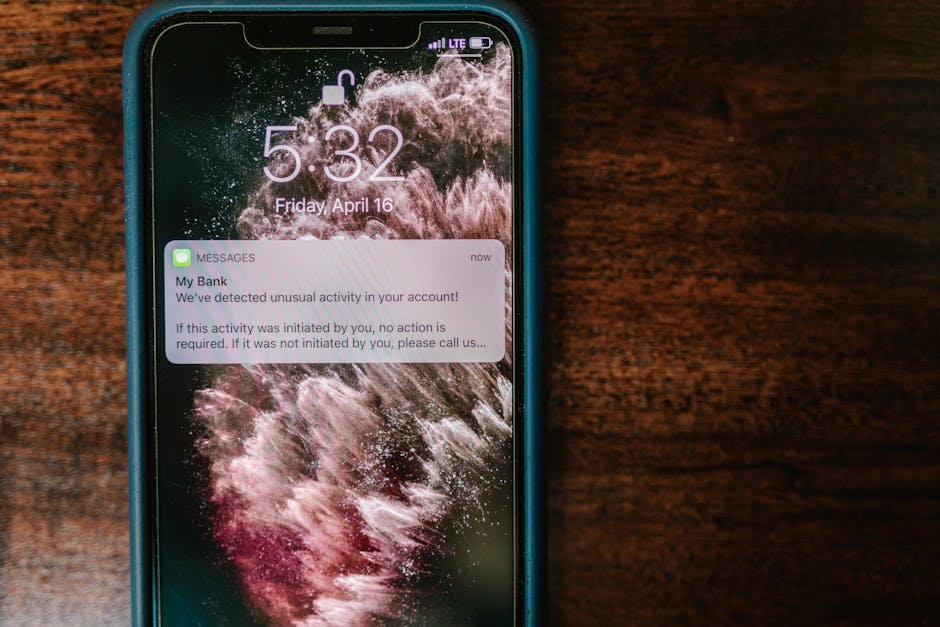
Mobile apps sit at the intersection of sensitive data, diverse devices, and unpredictable networks. Users expect convenience, but attackers expect mistakes. In the past few years, we have seen a rise in supply chain attacks targeting third‑party SDKs, credential stuffing via exposed APIs, and malware hiding in sideloaded APKs. A single weak storage choice or a misconfigured network call can cascade into data breaches and account takeovers. This article offers practical, battle‑tested guidance for developers building for Android and iOS, with code examples you can adapt to real projects. If you are wondering what to prioritize when time is short, this is a grounded starting point.
Context: where mobile security fits today
Mobile development spans native Android with Kotlin, native iOS with Swift, and cross‑platform stacks like Flutter or React Native. Security must be woven into each layer: the app itself, the native bridge, the network, the backend API, and the CI/CD pipeline. The most common approach today is “defense in depth,” meaning no single control protects you; you rely on multiple overlapping checks.
Compared to desktop apps, mobile apps face tighter sandboxing by the OS but also more hostile environments. Users install on untrusted networks, grant permissions casually, and sometimes sideload apps. Compared to web apps, mobile apps store more data locally, often rely on native code, and have different exploit paths. In real projects, teams that treat security as an afterthought often pay later in incident response and hotfixes. The teams that do well tend to adopt secure defaults early: safe storage, pinned network connections, robust cryptography, and ongoing dependency hygiene.
Security is not only the engineer’s job; it involves product, design, QA, and DevOps. But developers implement the core controls. Below are practices that map to real code and real pipelines, focusing on common scenarios and tradeoffs.
Threat modeling: understand your risks before you harden
Threat modeling helps you prioritize work. The STRIDE framework (Spoofing, Tampering, Repudiation, Information Disclosure, Denial of Service, Elevation of Privilege) is practical for mobile. For example, ask:
- What data could leak if an attacker extracts the app’s local storage?
- Can an attacker intercept API calls or tamper with request parameters?
- What third‑party libraries might be abused to escalate privileges or exfiltrate data?
- Can an attacker trick the app into launching an exported activity or receiving an intent with malicious data?
In real projects, a simple “data flow diagram” that lists assets (tokens, PII, encryption keys), trust boundaries (app sandbox, device root, network), and entry points (URL schemes, deep links, push notifications) is enough to guide hardening.
Secure data storage on Android (Kotlin)
Never store secrets in plain text, including SharedPreferences. For small items like tokens, prefer EncryptedSharedPreferences from the Android Jetpack Security library. For credentials or cryptographic keys, use the Android Keystore system. If you need to support API calls that require a client certificate, store the PKCS12 in the Keystore and reference it by alias.
Example project structure for a simple Android security module:
app/
  src/
    main/
      java/com/example/secureapp/
        di/
          SecurityModule.kt
        data/
          SecurePrefs.kt
        network/
          ApiClient.kt
        utils/
          Crypto.kt
        MainActivity.kt
    res/
      values/
        strings.xml
  build.gradle.kts
Here is a minimal EncryptedSharedPreferences setup and Keystore usage pattern in Kotlin:
// di/SecurityModule.kt
package com.example.secureapp.di

import android.content.Context
import androidx.security.crypto.EncryptedSharedPreferences
import androidx.security.crypto.MasterKey

object SecurityModule {
    fun provideSecurePreferences(context: Context) = try {
        val masterKey = MasterKey.Builder(context)
            .setKeyScheme(MasterKey.KeyScheme.AES256_GCM)
            .build()

        EncryptedSharedPreferences.create(
            context,
            "secure_prefs",
            masterKey,
            EncryptedSharedPreferences.PrefKeyEncryptionScheme.AES256_SIV,
            EncryptedSharedPreferences.PrefValueEncryptionScheme.AES256_GCM
        )
    } catch (e: Exception) {
        // Fallback is not ideal; log and handle without writing secrets
        throw RuntimeException("Failed to initialize encrypted shared preferences", e)
    }
}
// data/SecurePrefs.kt
package com.example.secureapp.data

import android.content.SharedPreferences
import androidx.core.content.edit

class SecurePrefs(private val prefs: SharedPreferences) {
    fun saveAuthToken(token: String) {
        prefs.edit { putString("auth_token", token) }
    }

    fun getAuthToken(): String? = prefs.getString("auth_token", null)

    fun clear() {
        prefs.edit { clear() }
    }
}
// utils/Crypto.kt
package com.example.secureapp.utils

import android.security.keystore.KeyGenParameterSpec
import android.security.keystore.KeyProperties
import java.security.KeyStore
import javax.crypto.Cipher
import javax.crypto.KeyGenerator
import javax.crypto.spec.GCMParameterSpec

object Crypto {
    private const val KEY_ALIAS = "app_aes_key"
    private const val ANDROID_KEYSTORE = "AndroidKeyStore"
    private const val TRANSFORMATION = "AES/GCM/NoPadding"

    private fun getKeyStore(): KeyStore = KeyStore.getInstance(ANDROID_KEYSTORE).apply { load(null) }

    fun encrypt(data: ByteArray): Pair<ByteArray, ByteArray> {
        val keyStore = getKeyStore()
        if (!keyStore.containsAlias(KEY_ALIAS)) {
            val keyGen = KeyGenerator.getInstance("AES", ANDROID_KEYSTORE)
            val spec = KeyGenParameterSpec.Builder(
                KEY_ALIAS,
                KeyProperties.PURPOSE_ENCRYPT or KeyProperties.PURPOSE_DECRYPT
            )
                .setBlockModes(KeyProperties.BLOCK_MODE_GCM)
                .setEncryptionPaddings(KeyProperties.ENCRYPTION_PADDING_NONE)
                .setRandomizedEncryptionRequired(true)
                .build()
            keyGen.init(spec)
            keyGen.generateKey()
        }

        val key = keyStore.getKey(KEY_ALIAS, null)
        val cipher = Cipher.getInstance(TRANSFORMATION)
        cipher.init(Cipher.ENCRYPT_MODE, key)
        val iv = cipher.iv
        val encrypted = cipher.doFinal(data)
        return iv to encrypted
    }

    fun decrypt(iv: ByteArray, encrypted: ByteArray): ByteArray {
        val keyStore = getKeyStore()
        val key = keyStore.getKey(KEY_ALIAS, null)
        val cipher = Cipher.getInstance(TRANSFORMATION)
        val spec = GCMParameterSpec(128, iv)
        cipher.init(Cipher.DECRYPT_MODE, key, spec)
        return cipher.doFinal(encrypted)
    }
}
For API authentication, prefer a short‑lived token stored in EncryptedSharedPreferences. If you must store a refresh token, keep it in the Keystore and avoid writing it to disk in plain text. Also consider adding a device bound flag; if you detect root or an insecure environment, avoid storing tokens altogether.
Secure data storage on iOS (Swift)
On iOS, use the Keychain for secrets and avoid UserDefaults for anything sensitive. Combine a unique Keychain group with the kSecAttrAccessibleAfterFirstUnlockThisDeviceOnly attribute to reduce exfiltration risk. If your app supports iCloud Keychain, be cautious; syncing secrets across devices increases exposure.
Example structure for a Swift security module:
SecureApp/
  SecureApp/
    Services/
      KeychainService.swift
    Utils/
      Crypto.swift
    App/
      AppViewModel.swift
    Views/
      ContentView.swift
  SecureAppTests/
    Services/
      KeychainServiceTests.swift
Here is a pragmatic Keychain wrapper in Swift:
// Services/KeychainService.swift
import Foundation
import Security

final class KeychainService {
    private let service: String
    private let accessGroup: String?

    init(service: String = "com.example.secureapp", accessGroup: String? = nil) {
        self.service = service
        self.accessGroup = accessGroup
    }

    private func query(for key: String) -> [String: Any] {
        var query: [String: Any] = [
            kSecClass as String: kSecClassGenericPassword,
            kSecAttrService as String: service,
            kSecAttrAccount as String: key
        ]
        if let group = accessGroup {
            kSecAttrAccessGroup as String => group
            query[kSecAttrAccessGroup as String] = group
        }
        return query
    }

    func set(_ value: Data, for key: String) -> Bool {
        let query = query(for: key)
        let attributes: [String: Any] = [
            kSecValueData as String: value,
            kSecAttrAccessible as String: kSecAttrAccessibleAfterFirstUnlockThisDeviceOnly
        ]

        // Delete existing item first
        SecItemDelete(query as CFDictionary)

        let status = SecItemAdd(
            (query as CFDictionary).merging(attributes) { _, new in new } as CFDictionary,
            nil
        )
        return status == errSecSuccess
    }

    func get(for key: String) -> Data? {
        let query = query(for: key).merging([
            kSecReturnData as String: true,
            kSecMatchLimit as String: kSecMatchLimitOne
        ]) { _, new in new }

        var result: AnyObject?
        let status = SecItemCopyMatching(query as CFDictionary, &result)
        guard status == errSecSuccess, let data = result as? Data else { return nil }
        return data
    }

    func delete(for key: String) -> Bool {
        let query = query(for: key)
        let status = SecItemDelete(query as CFDictionary)
        return status == errSecSuccess
    }
}
If you need to encrypt values before storing them in the Keychain, use CryptoKit to perform AES‑GCM and store the nonce and ciphertext together:
// Utils/Crypto.swift
import Foundation
import CryptoKit

enum CryptoError: Error {
    case encryptionFailed
    case decryptionFailed
}

final class Crypto {
    static func encrypt(_ plain: Data, key: SymmetricKey) throws -> Data {
        let sealed = try AES.GCM.seal(plain, using: key)
        guard let combined = sealed.combined else { throw CryptoError.encryptionFailed }
        return combined
    }

    static func decrypt(_ combined: Data, key: SymmetricKey) throws -> Data {
        let box = try AES.GCM.SealedBox(combined: combined)
        return try AES.GCM.open(box, using: key)
    }

    // Derive a key from a passphrase with a salt; consider using PBKDF2 via CommonCrypto
    // or a high‑iteration count scrypt implementation. Avoid deterministic keys.
    static func deriveKey(passphrase: String, salt: Data) throws -> SymmetricKey {
        // Placeholder for derivation; in production, use CryptoKit’s HKDF or CommonCrypto PBKDF2
        let derived = HKDF<SHA256>.deriveKey(
            inputKeyMaterial: SymmetricKey(data: passphrase.data(using: .utf8)!),
            info: Data("app-encryption".utf8),
            salt: salt,
            outputByteCount: 32
        )
        return derived
    }
}
A useful pattern is to keep a small number of keys in the Keychain and rotate them based on app version or security events. Also avoid writing raw tokens to disk; use Keychain as the single source of truth.
Network security: TLS, pinning, and defense at the transport layer
Mobile traffic is vulnerable to interception on public Wi‑Fi. Enforce HTTPS for all requests and prefer HTTP/2 or HTTP/3 if the server supports it. For high‑risk apps, implement TLS certificate pinning to mitigate man‑in‑the‑middle attacks. On Android, use OkHttp’s CertificatePinner or the network security config for custom trust. On iOS, use App Transport Security and a pinned URLSession delegate.
A pragmatic approach is to pin only to a small set of known certificates or public keys, and maintain an escape hatch to disable pinning for debugging. Always handle pinning failures gracefully and do not silently fallback to trusting the system CA store.
Example OkHttp setup with certificate pinning in Kotlin:
// network/ApiClient.kt
package com.example.secureapp.network

import okhttp3.CertificatePinner
import okhttp3.OkHttpClient
import okhttp3.logging.HttpLoggingInterceptor
import java.util.concurrent.TimeUnit

object ApiClient {
    private const val HOST = "api.example.com"
    private val PINNED_CERT_PUBLIC_KEY_SHA256 = listOf(
        "sha256/AAAAAAAAAAAAAAAAAAAAAAAAAAAAAAAAAAAAAAAAAAA="
    )

    fun create(): OkHttpClient {
        val certificatePinner = CertificatePinner.Builder()
            .add(HOST, *PINNED_CERT_PUBLIC_KEY_SHA256.toTypedArray())
            .build()

        val logging = HttpLoggingInterceptor().apply {
            level = HttpLoggingInterceptor.Level.BODY
        }

        return OkHttpClient.Builder()
            .certificatePinner(certificatePinner)
            .connectTimeout(10, TimeUnit.SECONDS)
            .readTimeout(30, TimeUnit.SECONDS)
            .addInterceptor { chain ->
                val request = chain.request().newBuilder()
                    .addHeader("User-Agent", "SecureApp/1.0")
                    .build()
                chain.proceed(request)
            }
            .addInterceptor(logging)
            .build()
    }
}
For iOS, App Transport Security is on by default, but you may need to customize exceptions carefully. Avoid allowing arbitrary loads unless absolutely necessary. For pinning, implement a URLSessionDelegate that validates the server’s certificate chain against known pins:
// Services/NetworkService.swift
import Foundation

final class PinningDelegate: NSObject, URLSessionDelegate {
    private let pinnedKeys: [SecKey]

    init(pinnedKeys: [SecKey]) {
        self.pinnedKeys = pinnedKeys
    }

    func urlSession(_ session: URLSession,
                    didReceive challenge: URLAuthenticationChallenge,
                    completionHandler: @escaping (URLSession.AuthChallengeDisposition, URLCredential?) -> Void) {
        guard challenge.protectionSpace.authenticationMethod == NSURLAuthenticationMethodServerTrust,
              let serverTrust = challenge.protectionSpace.serverTrust,
              SecTrustEvaluateWithError(serverTrust, nil) else {
            completionHandler(.cancelAuthenticationChallenge, nil)
            return
        }

        // Compare server leaf public key(s) to pinned keys
        let serverKeys = (0..<SecTrustGetCertificateCount(serverTrust)).compactMap { index in
            SecTrustGetCertificateAtIndex(serverTrust, index).flatMap { cert in
                SecCertificateCopyKey(cert)
            }
        }

        let isValid = serverKeys.contains { serverKey in
            pinnedKeys.contains { pinnedKey in
                SecKeyCopyExternalRepresentation(serverKey, nil) == SecKeyCopyExternalRepresentation(pinnedKey, nil)
            }
        }

        if isValid {
            completionHandler(.useCredential, URLCredential(trust: serverTrust))
        } else {
            completionHandler(.cancelAuthenticationChallenge, nil)
        }
    }
}
Pair pinning with a pinned dependency for certificate parsing if needed, and set up runtime toggles for emergency rollbacks. Pin only the leaf or the intermediate depending on your risk; pinning the root rarely makes sense and can break during CA rotations.
Authentication and authorization: session management best practices
Avoid rolling your own authentication unless you have security expertise. Use proven providers (OAuth2/OIDC) and store tokens securely. For mobile:
- Use PKCE with authorization code flow for native apps.
- Use short‑lived access tokens and refresh tokens with rotation.
- Implement token revocation and device registration for unusual activity.
- Bind refresh tokens to device identifiers or app instance IDs, but never expose raw device identifiers.
In practice, tokens should be stored in secure storage and never in logs or analytics. Avoid passing tokens via deep links or push notifications. For sensitive flows like reauthentication, use the system web browser rather than an embedded WebView to leverage existing session state and reduce phishing risk.
App hardening: tamper detection, root/jailbreak checks, and code obfuscation
Tamper detection is about raising the bar, not providing absolute guarantees. On Android, you can check for root indicators, debug flags, and verify app signatures. On iOS, check for common jailbreak artifacts and debugger presence. If you detect a risky environment, you can degrade functionality or require reauthentication.
Note that root and jailbreak checks are cat‑and‑mouse games; treat them as risk signals, not definitive. Combine with other telemetry like unusual device activity. Also, consider code obfuscation on Android using R8/ProGuard rules to reduce the attack surface for reverse engineering.
Example Android signature verification and debug detection:
// utils/Integrity.kt
package com.example.secureapp.utils

import android.content.Context
import android.content.pm.PackageManager
import java.security.MessageDigest

object Integrity {
    fun isDebug(context: Context): Boolean = android.os.BuildConfig.DEBUG || context.applicationInfo.flags and android.content.pm.ApplicationInfo.FLAG_DEBUGGABLE != 0

    fun getAppSignature(context: Context): String? {
        return try {
            val pm = context.packageManager
            val packageName = context.packageName
            val packageInfo = pm.getPackageInfo(packageName, PackageManager.GET_SIGNATURES)
            val signature = packageInfo.signatures?.firstOrNull() ?: return null
            val md = MessageDigest.getInstance("SHA-256")
            val hash = md.digest(signature.toByteArray())
            hash.joinToString("") { "%02x".format(it) }
        } catch (e: Exception) {
            null
        }
    }

    fun isExpectedSignature(context: Context, expectedSha256: String): Boolean {
        val signature = getAppSignature(context) ?: return false
        return signature.equals(expectedSha256, ignoreCase = true)
    }
}
For iOS jailbreak checks, typical indicators include the existence of files like “/Applications/Cydia.app”, “/bin/bash”, or attempting to write outside the sandbox. Implement these checks with extreme care and do not rely on them alone.
Cryptography: do not roll your own, and be careful with defaults
Cryptography is easy to misuse. Prefer high‑level APIs and vetted libraries:
- Use AES‑GCM for symmetric encryption with random nonces.
- Use secure hashing (SHA‑256 or stronger) for integrity.
- Use RSA or elliptic curve for asymmetric needs, with proper padding.
- Avoid RC4, DES, MD5, and SHA‑1.
- For key derivation, use PBKDF2 or HKDF with sufficient iterations.
When choosing parameters, consult authoritative guidance like OWASP Mobile Top 10 and NIST recommendations. For AES‑GCM, use a 12‑byte nonce and ensure it is unique per key. Do not reuse nonces; that’s catastrophic.
Privacy and permissions: minimize data collection and respect the user
Ask for the minimum permissions needed and explain why. If you don’t need microphone, camera, or location, do not request them. On iOS, be prepared for “Ask App Not to Track” and handle IDFA access carefully. On Android, target the latest SDK and follow scoped storage rules.
For analytics, anonymize identifiers and avoid sending sensitive data. If you collect crash logs, ensure no tokens or PII are included. Consider on‑device aggregation before sending telemetry.
Dependency hygiene: reduce supply chain risk
Third‑party libraries are a common attack vector. Keep dependencies up to date and audit transitive dependencies. Use tools like Dependabot or Renovate for automated updates and maintain a lockfile.
On Android, prefer well‑maintained libraries from the AndroidX ecosystem. For iOS, be careful with Swift Package Manager and CocoaPods; avoid abandoned pods. When adding a new SDK, ask:
- Does it request excessive permissions?
- Does it need network access?
- Is its data processing documented?
- Does it have a security policy and recent releases?
Here is a sample renovate.json for automated dependency updates:
{
  "$schema": "https://docs.renovatebot.com/renovate-schema.json",
  "extends": ["config:base"],
  "packageRules": [
    {
      "matchUpdateTypes": ["minor", "patch"],
      "automerge": false,
      "prPriority": 10
    }
  ],
  "ignoreUnstable": true
}
CI/CD and build pipeline security
Treat your pipeline as part of your threat model. Store signing keys and secrets in a vault (like GitHub Secrets, Azure Key Vault, or HashiCorp Vault). Never commit keystore passwords or API keys to source control. Use reproducible builds and verify that the app shipped matches the build artifacts. For Android, consider enabling R8 and verifying mapping files. For iOS, archive and export with proper code signing and entitlements.
Code examples: combining controls in a realistic workflow
Let’s build a small security workflow in Kotlin that reads an encrypted token from EncryptedSharedPreferences, uses a pinned OkHttp client to call an API, and handles errors gracefully:
// MainActivity.kt
package com.example.secureapp

import android.os.Bundle
import androidx.appcompat.app.AppCompatActivity
import com.example.secureapp.data.SecurePrefs
import com.example.secureapp.di.SecurityModule
import com.example.secureapp.network.ApiClient
import kotlinx.coroutines.CoroutineScope
import kotlinx.coroutines.Dispatchers
import kotlinx.coroutines.launch
import kotlinx.coroutines.withContext
import okhttp3.Request

class MainActivity : AppCompatActivity() {
    private lateinit var securePrefs: SecurePrefs
    private val scope = CoroutineScope(Dispatchers.IO)

    override fun onCreate(savedInstanceState: Bundle?) {
        super.onCreate(savedInstanceState)
        securePrefs = SecurePrefs(SecurityModule.provideSecurePreferences(this))

        // Example: fetch user profile with pinned connection and token
        scope.launch {
            try {
                val token = securePrefs.getAuthToken()
                if (token.isNullOrBlank()) {
                    // Not logged in; handle UI
                    return@launch
                }

                val client = ApiClient.create()
                val request = Request.Builder()
                    .url("https://api.example.com/v1/user/profile")
                    .header("Authorization", "Bearer $token")
                    .build()

                val response = withContext(Dispatchers.IO) { client.newCall(request).execute() }
                if (!response.isSuccessful) {
                    // Handle 401/403; optionally clear token and prompt reauth
                    if (response.code == 401) {
                        securePrefs.clear()
                    }
                    return@launch
                }

                val body = response.body?.string()
                // Update UI with parsed body; avoid logging tokens or PII
            } catch (e: Exception) {
                // Network errors; show generic message to user
            }
        }
    }
}
On iOS, a similar flow would combine KeychainService, Crypto, and a URLSession with the pinning delegate. The mental model is consistent: secure storage, safe transport, and robust error handling.
Evaluation: strengths, weaknesses, and tradeoffs
These practices have clear strengths:
- Encrypted storage and Keychain significantly reduce local data exposure.
- TLS and certificate pinning protect data in transit.
- Modern cryptography APIs reduce the risk of misconfiguration.
- Dependency hygiene and pipeline security lower supply chain risk.
However, there are tradeoffs and weaknesses:
- Certificate pinning can cause outages if the server rotates certificates without coordination. Plan fallback mechanisms.
- Root/jailbreak checks add maintenance burden and are not foolproof.
- Over‑restrictive policies can harm UX; balance security with usability.
- Cross‑platform frameworks (Flutter/React Native) can introduce bridge vulnerabilities or inconsistent security defaults. Audit the native layers carefully.
When to adopt these practices broadly:
- If your app handles authentication, financial data, health records, or sensitive PII, apply all practices above.
- If your app is a simple utility with no user data, start with HTTPS and secure storage, then expand as needed.
When to be cautious:
- If you lack mature release processes, pinning and strict integrity checks can cause support burdens. Start with HTTPS and secure storage first.
- If you target a wide range of devices, test encryption flows on older OS versions; Keystore and Keychain behavior varies.
Personal experience: what worked, what failed, and lessons learned
In one project, we rolled out certificate pinning without a rollback plan. A CA rotation caused temporary outages on older Android versions. We mitigated by adding a server‑controlled flag to disable pinning for a short period and by pinning to public keys instead of certificates. That change reduced rotation risk. In another project, we discovered SDKs were logging tokens in debug mode. The fix was a shared logging wrapper that scrubbed sensitive fields and a strict lint rule to block Log.d calls with token variables.
I learned to prefer system‑provided cryptography over custom implementations. When we tried to use an obscure encryption mode for “better security,” it introduced subtle bugs on low‑end devices. Switching to AES‑GCM with well‑tested libraries removed the issues. Finally, we added automated dependency updates and reduced our third‑party surface by removing two analytics SDKs, which simplified our privacy posture and reduced crash rates.
Getting started: tooling, workflow, and mental models
For Android:
- Use Android Studio and Gradle with version catalogs to manage dependencies.
- Enable R8 and define keep rules for reflective classes.
- Add lint rules for insecure APIs and banned permissions.
- Structure the app into modules for network, data, and UI; keep security code in a separate module.
For iOS:
- Use Xcode and Swift Package Manager; avoid mixing too many dependency managers.
- Enable App Transport Security and define exceptions only when necessary.
- Use schemes and build configurations to control logging and debug flags.
- Keep Keychain operations in a dedicated service layer; avoid ad‑hoc SecItem calls.
General mental model:
- Treat all local storage as potentially readable by an attacker.
- Treat the network as hostile; verify, encrypt, and pin.
- Treat third‑party code as untrusted; audit and minimize.
- Treat the pipeline as an extension of your app; protect secrets and signatures.
Free learning resources
- OWASP Mobile Application Security Verification Standard (MASVS): https://owasp.org/www-project-mobile-app-security/
- OWASP Mobile Top 10: https://owasp.org/www-project-mobile-top-10/
- Android Jetpack Security library: https://developer.android.com/topic/security/data
- iOS Keychain Services documentation: https://developer.apple.com/documentation/security/keychain_services
- NIST cryptography guidance (SP 800 series): https://csrc.nist.gov/publications/sp800
- Let’s Encrypt for certificates: https://letsencrypt.org/
- App Transport Security (Apple): https://developer.apple.com/documentation/bundleresources/information_property_list/nsapptransportsecurity
Summary: who should use these practices and who might skip some
If you are building consumer apps, fintech, health, or enterprise tools, adopt these practices fully. They will save you time in incident response and help you earn user trust. If you are building a hobby app with no sensitive data, start with HTTPS and secure storage; add pinning and integrity checks as your user base grows.
Key takeaways:
- Secure storage is non‑negotiable; use Keystore/Keychain and avoid plain text.
- Protect the transport layer with TLS; consider certificate pinning for sensitive apps.
- Use modern cryptography with proven APIs; avoid rolling your own.
- Reduce third‑party risk; keep dependencies current and minimal.
- Treat your CI/CD pipeline as part of the attack surface.
Mobile security is a continuous practice, not a one‑time checklist. Build small, test often, and iterate. With the right defaults and a pragmatic mindset, you can deliver apps that are both delightful and resilient.



