
Performance Profiling Tools
Because guessing why your app is slow is no longer an option
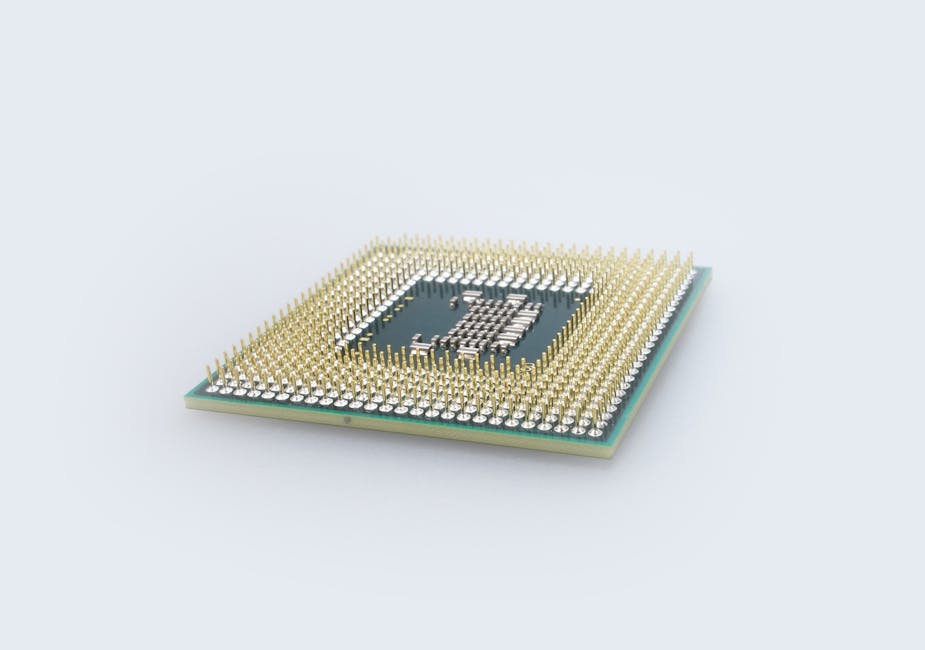
It starts innocently enough: a feature ships, users click, and dashboards light up with a slow API endpoint or a sluggish UI. In the heat of fixing bugs and meeting deadlines, it’s tempting to rely on intuition—move a loop, cache a result, and hope the numbers improve. Over the years, I’ve learned that hope is not a strategy. When performance matters, you want concrete evidence: where time is spent, how resources are used, and which optimization actually moves the needle. This article is about how performance profiling tools provide that evidence and help developers make precise, high-impact changes.
Performance profiling isn’t only for high-frequency trading systems or AAA games; it’s for web backends under load, mobile apps that drain batteries, and data pipelines that silently stall. In modern development, where microservices, serverless functions, and container orchestration coexist, performance questions are multi-layered. You might ask: Is it the code, the runtime, the I/O, or the infrastructure? Profiling tools give you a way to separate signal from noise and avoid premature optimization that complicates code without delivering measurable gains.
In this article, we’ll look at the landscape of performance profiling tools, how they fit into real-world engineering workflows, and where they shine or fall short. We’ll discuss CPU and memory profiling, tracing, and how to combine tools into an iterative, data-driven loop. You’ll see concrete examples in Python and Node.js, with project setups that mirror typical backend services. We’ll also include a personal section with lessons learned from projects where profiling saved the day and when it didn’t. Finally, we’ll wrap with a practical “getting started” guide and a curated list of free resources.
Where performance profiling fits today
In the modern stack, performance is a continuous conversation. Frontend apps are measured by Core Web Vitals; backends need to sustain throughput under concurrency; data processing pipelines must respect time and memory budgets. The tooling has evolved to meet these demands. Some tools are language-specific, others are platform-agnostic. Many integrate with observability platforms to correlate profiling data with traces and logs, enabling a “needle-in-haystack” search across distributed systems.
Who uses these tools? Backend engineers tuning API endpoints, platform engineers optimizing build pipelines, mobile engineers reducing battery drain, and data scientists pruning hot paths in ML workflows. Compared to alternatives like application-level metrics or simple logging, profiling provides a deeper view: not just that a request took 500 ms, but that 350 ms were spent in a JSON serialization call and 80 ms in a database query. Tools like Python’s cProfile, Py-Spy, memory_profiler, and Scalene offer low-friction entry points; Node.js provides built-in tools like the inspector and clinic.js, while language-agnostic options like perf (Linux), Instruments (macOS), and OpenTelemetry-based profilers offer OS-level insights. For distributed systems, tracing tools such as Jaeger or Zipkin help correlate performance across services, and continuous profiling platforms like Pyroscope or Parca can sample production safely.
The key shift in recent years is the move from ad-hoc profiling to continuous, low-overhead profiling. In the past, you might run cProfile locally for a synthetic workload and extrapolate. Now, with eBPF-based profilers and sampling agents, you can collect production profiles with minimal impact, enabling you to observe real user behavior rather than lab conditions. This matters because performance bottlenecks often hide in edge cases—rare data shapes, retry storms, or pathological inputs—that only appear under real traffic.
Core concepts and practical examples
Profiling helps answer three questions: What is slow? Why is it slow? And does my change fix it? Different tools answer these in different ways. CPU profilers aggregate time spent in functions; memory profilers track allocations and retention; tracing tools record the lifecycle of requests; and event-loop profilers expose delays specific to asynchronous runtimes. The practical trick is to choose the right tool for the question, then iterate with small, measurable experiments.
CPU profiling: Locating hot paths
A CPU profiler periodically samples the program’s call stack to estimate where time is spent. The output is often a “flame graph,” where width represents inclusive time. If you see a wide frame, it means a lot of samples landed in that function or its descendants. You want to look for wide frames that you control; that’s where optimization can help.
In Python, you can start with cProfile, which gives a deterministic summary of function calls. It’s great for microbenchmarks and local profiling, though it has higher overhead than sampling profilers. Here’s a simple example of profiling a function that does some compute and I/O:
# example_service.py
import time
import json
import requests
import cProfile
import pstats
from pstats import SortKey

def fetch_user_data(user_id: int) -> dict:
    # Simulate an external call with network latency
    time.sleep(0.02)
    return {"user_id": user_id, "name": "Ada", "email": "ada@example.com"}

def process_user_data(user_data: dict) -> dict:
    # Simulate CPU-bound processing
    for _ in range(5000):
        _ = user_data["name"].upper()
    user_data["processed"] = True
    return user_data

def build_report_batch(user_ids):
    # Simulate a batch job with mixed CPU and I/O
    results = []
    for uid in user_ids:
        raw = fetch_user_data(uid)
        processed = process_user_data(raw)
        results.append(processed)
    return json.dumps(results)

if __name__ == "__main__":
    # A small workload for local profiling
    user_ids = list(range(100))
    profiler = cProfile.Profile()
    profiler.enable()
    build_report_batch(user_ids)
    profiler.disable()
    stats = pstats.Stats(profiler).sort_stats(SortKey.CUMULATIVE)
    stats.print_stats(20)
When you run this, cProfile prints a table with cumulative and per-call times. You’ll likely see time concentrated in fetch_user_data due to the sleep call, and some time in process_user_data. This is a toy example, but in real services, cProfile helps identify whether a bottleneck is I/O, CPU, or a specific dependency call. The downside is overhead and the fact that you’re profiling a synthetic workload, which may not reflect production traffic patterns.
For production-friendly sampling, Py-Spy is excellent. It attaches to a running Python process and samples at low overhead without instrumenting code. If you have a long-running service, you can generate a flame graph with minimal disruption:
# Attach to a running Python process and record for 30 seconds
py-spy record -p <PID> -o profile.svg --duration 30

# If you want to browse interactive SVG flame graphs, open the output:
# xdg-open profile.svg   # Linux
# open profile.svg       # macOS
Flame graphs reveal patterns quickly. For example, a wide frame under json.dumps suggests serialization is a hotspot. That might prompt you to evaluate whether you can reduce payload size, switch serializers, or batch operations.
In Node.js, you can use the built-in inspector to capture CPU profiles, then view them in Chrome DevTools. Alternatively, clinic.js provides a user-friendly workflow:
# Install clinic.js
npm install -g clinic

# Start your Node app with clinic doctor to detect common performance issues
clinic doctor -- node server.js

# For a CPU profile, use clinic flame
clinic flame -- node server.js
The generated HTML report highlights CPU and event-loop activity. In real projects, clinic flame has helped me spot heavy synchronous code in an endpoint that was blocking the event loop, leading to backlogs during spikes. The fix was to push work to worker threads or break it into async chunks.
Memory profiling: Finding leaks and retention
Memory issues often lurk beneath the surface: a cache that never expires, retained references in closures, or large objects created repeatedly. Memory profilers track allocation sites and retention. In Python, memory_profiler is useful for line-by-line analysis, and tracemalloc can pinpoint where allocations occur. For more robust, low-overhead inspection in production, memray is compelling; it captures allocations with minimal overhead and produces flame graphs and other reports.
Here’s an example where we introduce a subtle leak using a global cache without limits:
# leaky_cache.py
import tracemalloc
from functools import lru_cache

# Simulate a global registry that grows unbounded
_global_registry = []

@lru_cache(maxsize=None)
def compute_expensive_result(key: str, n: int) -> list:
    # Simulate work that allocates a large list
    data = [key for _ in range(n)]
    return data

def process_requests(keys):
    for k in keys:
        result = compute_expensive_result(k, 10_000)
        # Intentional leak: keep references globally
        _global_registry.append(result)

if __name__ == "__main__":
    tracemalloc.start()
    keys = [f"user-{i}" for i in range(100)]
    process_requests(keys)
    snapshot = tracemalloc.take_snapshot()
    top_stats = snapshot.statistics("lineno")
    for stat in top_stats[:10]:
        print(stat)
    print(f"Global registry length: {len(_global_registry)}")
Running this shows allocations tied to compute_expensive_result and process_requests. The lru_cache prevents recomputation, but the global list retains every result, leading to high memory usage. In practice, you’d replace the global list with a bounded cache or persist data to disk. Tools like memray can visualize where allocations occur and how they’re retained. In a real data service, I used memray to discover that a logging adapter was formatting large objects even at INFO level, and adjusting log levels and formats significantly reduced memory churn.
On the Node.js side, the inspector’s heap snapshot and allocation timelines help identify leaks. Clinic.js also offers clinic heap for heap profiling. In a microservice that streamed JSON responses, we found that string concatenation in response building created unnecessary intermediate buffers. Switching to a streaming JSON library reduced peak heap usage.
Event-loop and async profiling
For Node.js, understanding the event loop is critical. If a synchronous CPU-bound task blocks the loop, throughput suffers even if CPU utilization is low. The clinic bubbleprof tool visualizes asynchronous operations and delays, helping you spot long synchronous phases. You might see that a database driver is blocking or a parser is running on the main thread.
Here’s a minimal Node.js service where a heavy task blocks the event loop:
// server.js
const http = require('http');

function heavyTask(n) {
  // Synchronous CPU-bound work
  let sum = 0;
  for (let i = 0; i < n; i++) {
    sum += Math.sqrt(i);
  }
  return sum;
}

const server = http.createServer((req, res) => {
  if (req.url === '/compute') {
    // This blocks the event loop while working
    const result = heavyTask(2_000_000);
    res.end(`Result: ${result}`);
  } else {
    res.end('OK');
  }
});

server.listen(3000, () => {
  console.log('Server listening on 3000');
});
With clinic bubbleprof, you’ll see long synchronous phases causing delays. A typical fix is to offload the work to a worker thread or break it into async chunks:
// worker_server.js
const http = require('http');
const { Worker } = require('worker_threads');
const path = require('path');

function runWorkerTask(n) {
  return new Promise((resolve, reject) => {
    const worker = new Worker(path.resolve(__dirname, 'worker.js'), {
      workerData: n,
    });
    worker.on('message', resolve);
    worker.on('error', reject);
    worker.on('exit', (code) => {
      if (code !== 0) reject(new Error(`Worker stopped with exit code ${code}`));
    });
  });
}

const server = http.createServer(async (req, res) => {
  if (req.url === '/compute') {
    try {
      const result = await runWorkerTask(2_000_000);
      res.end(`Result: ${result}`);
    } catch (e) {
      res.statusCode = 500;
      res.end('Error');
    }
  } else {
    res.end('OK');
  }
});

server.listen(3000, () => {
  console.log('Worker-backed server listening on 3000');
});
// worker.js
const { parentPort, workerData } = require('worker_threads');

function heavyTask(n) {
  let sum = 0;
  for (let i = 0; i < n; i++) {
    sum += Math.sqrt(i);
  }
  return sum;
}

const result = heavyTask(workerData);
parentPort.postMessage(result);
In production, we’ve used a pattern like this for CSV parsing and image resizing in a Node API. The result was improved throughput and consistent latency under load, as measured by autocannon or k6.
Distributed tracing and continuous profiling
When services are distributed, a single request hops through multiple components. Profiling each service in isolation is helpful, but understanding cross-service latency is essential. OpenTelemetry can collect traces, and tools like Jaeger visualize them. Continuous profilers like Pyroscope or Parca sample profiles across services and aggregate them by tags (e.g., endpoint, tenant, version). This enables you to compare performance before and after a release or identify which tenant is driving load.
Here’s a conceptual setup using OpenTelemetry in a Python Flask service:
# app.py
from flask import Flask, jsonify
from opentelemetry import trace
from opentelemetry.sdk.trace import TracerProvider
from opentelemetry.sdk.trace.export import BatchSpanProcessor
from opentelemetry.exporter.otlp.proto.grpc.trace_exporter import OTLPSpanExporter

# Configure tracing
provider = TracerProvider()
otlp_exporter = OTLPSpanExporter(endpoint="http://otel-collector:4317", insecure=True)
span_processor = BatchSpanProcessor(otlp_exporter)
provider.add_span_processor(span_processor)
trace.set_tracer_provider(provider)

tracer = trace.get_tracer(__name__)

app = Flask(__name__)

@app.route("/api/report/<int:user_id>")
def report(user_id):
    with tracer.start_as_current_span("report_request") as span:
        span.set_attribute("user.id", user_id)
        # Simulate work
        data = {"user_id": user_id, "status": "processed"}
        return jsonify(data)

if __name__ == "__main__":
    app.run(host="0.0.0.0", port=8080)
This example assumes an OTLP collector (e.g., OpenTelemetry Collector or a backend like Jaeger). With tracing, you can see how long each service spends processing. If a specific endpoint is slow, you can then profile that service in isolation to dig deeper.
Strengths, weaknesses, and tradeoffs
Each profiling tool comes with tradeoffs. Deterministic profilers like cProfile give precise call counts but add overhead and distort runtime behavior. Sampling profilers like Py-Spy have low overhead and are suitable for production, but they may miss short-lived functions or rare edge cases. Memory profilers can expose allocation sites and retention patterns, yet capturing accurate heap snapshots in high-throughput services may require careful scheduling to avoid pauses.
Language-specific tools like Scalene for Python stand out because they combine CPU, memory, and even GPU profiling with low overhead and helpful visualizations. Scalene’s memory profiling distinguishes between internal and external allocations, which is invaluable when working with native extensions. However, some tools require code modifications or environment changes, which may not be feasible in certain regulated or tightly controlled environments.
Continuous profilers offer organization-wide visibility but introduce operational complexity. You need to decide sampling rates, retention policies, and access controls. There’s also the cost dimension: open-source tools like Parca are free but require setup; commercial platforms like Pyroscope or DataDog’s profiler can be easier to adopt but have licensing costs.
A practical heuristic: start local and deterministic when you have a reproducible bottleneck; move to sampling and continuous profiling when the issue appears under real load or across services. Always measure the overhead of the profiler itself; if instrumentation changes the system’s behavior too much, you risk optimizing for the observer effect.
Personal experience: Lessons from profiling in the wild
I remember a late-night incident where a Python data export service degraded under load. The API would occasionally spike to 10–12 seconds, and auto-scaling couldn’t keep up. We initially guessed it was the database. Using cProfile locally, we saw many calls to json.dumps, but that didn’t explain the spikes. We deployed Py-Spy in staging and captured flame graphs under realistic traffic. The flame graph showed a wide frame in pandas.DataFrame.to_dict, and deeper in the stack, a custom formatter allocating massive lists for every row.
We switched to streaming JSON serialization with ijson for large payloads and added a generator-based pipeline to process rows lazily. We also introduced a bounded cache for repeated lookups. The change shaved average response times from 8 seconds to 1.5 seconds. Later, we added continuous profiling with Pyroscope to track regressions. The most valuable lesson wasn’t the specific change; it was that profiling shifted the conversation from speculation to data. Instead of debating which micro-optimization to try, we could run an experiment and see the flame graph before and after.
Another learning was the importance of context. In Node.js, an event-loop stall looked like high CPU in our metrics because the system was busy retrying. Profiling with clinic bubbleprof revealed synchronous file reads in a middleware. Once we moved to async file I/O, the stall disappeared. The pitfall to avoid is optimizing based on aggregate metrics alone. Profiling provides context: which function, for which request, under which conditions.
Common mistakes I’ve made or witnessed include profiling the wrong workload (e.g., a toy dataset), ignoring warm-up and JIT effects, and forgetting to set appropriate sampling durations. If a tool aggregates results without clear labels, it’s easy to misinterpret where time is spent. Also, be careful with production profiling; sampling too frequently can increase latency. I’ve learned to profile in staging first, capture representative workloads, and then, if safe, sample lightly in production with tags to filter by endpoint or tenant.
Getting started: Workflow, tooling, and project structure
Profiling is a workflow, not a one-off task. Start by defining a hypothesis: “I suspect that serialization is the bottleneck for the /report endpoint.” Choose a tool that matches your environment and overhead constraints. For Python services, a good local setup includes cProfile for microbenchmarks, Py-Spy or Scalene for sampling, and memray for memory analysis. For Node.js, clinic.js is a great all-in-one, and the inspector is handy for deep dives. For distributed systems, integrate OpenTelemetry and decide on a continuous profiler for production sampling.
Here’s a minimal project structure for a Python service that you can profile:
prof-demo/
├── README.md
├── requirements.txt
├── app/
│   ├── __init__.py
│   ├── main.py          # Flask or FastAPI entrypoint
│   ├── service.py       # Business logic with CPU and I/O
│   ├── cache.py         # Cache implementation with bounds
│   └── models.py        # Data models
├── tests/
│   └── test_service.py  # Representative workloads
├── scripts/
│   ├── profile_local.py # Wrapper to run cProfile or Scalene
│   └── memray_run.py    # Memory profiling runner
└── docker/
    └── Dockerfile       # Container with profiling tools installed
In scripts/profile_local.py, you can orchestrate profiling runs:
# scripts/profile_local.py
import sys
import time
import cProfile
import pstats
from pstats import SortKey
from app.service import build_report_batch

def main():
    user_ids = list(range(1_000))
    start = time.time()
    profiler = cProfile.Profile()
    profiler.enable()
    result = build_report_batch(user_ids)
    profiler.disable()
    elapsed = time.time() - start
    print(f"Elapsed: {elapsed:.2f}s")
    stats = pstats.Stats(profiler).sort_stats(SortKey.CUMULATIVE)
    stats.print_stats(30)

if __name__ == "__main__":
    main()
For memory profiling with memray:
# Install memray
pip install memray

# Run your app or script under memray
memray run -o output.bin scripts/profile_local.py

# Generate a flame graph
memray flamegraph output.bin -o flame.html
For Node.js, the workflow is similar. Place your service in src/, create a bench/ folder with load tests using k6 or autocannon, and use clinic.js to profile under load:
# Example bench script using k6
# bench/load.js
import http from 'k6/http';
import { check, sleep } from 'k6';

export const options = {
  stages: [
    { duration: '30s', target: 50 },  // ramp up
    { duration: '60s', target: 50 },  // steady
    { duration: '30s', target: 0 },   // ramp down
  ],
};

export default function () {
  const res = http.get('http://localhost:3000/api/report/42');
  check(res, { 'status is 200': (r) => r.status === 200 });
  sleep(0.1);
}
Run the bench and profile concurrently:
# Start service with clinic flame
clinic flame -- node src/server.js &

# Run k6 bench
k6 run bench/load.js
The mental model is iterative: define a hypothesis, select a tool, capture data, compare before/after, and validate under load. Always profile with realistic workloads; synthetic data often hides real bottlenecks. Be mindful of warm-up phases and caches; some languages have JITs or import costs that skew early results.
What makes profiling tools stand out
The best profiling tools share a few traits: low overhead, clear visualizations, and the ability to drill down from aggregates to specific call sites. They also integrate with everyday workflows, so profiling isn’t a special event but part of CI or release cadence. Scalene stands out in Python because it surfaces both CPU and memory in a single run with meaningful visual output; memray excels at memory diagnostics with minimal intrusion. In Node.js, clinic.js reduces friction by bundling multiple profilers and generating interactive reports. For distributed systems, OpenTelemetry plus a continuous profiler gives you a unified view across services, which is critical in microservice architectures.
Beyond the features, developer experience matters. Tools that encourage small experiments—A/B profiling, canary comparisons, or tagged sampling—help you make incremental progress. They also reduce cognitive load: flame graphs are easier to interpret than raw stacks, and tagging by endpoint or tenant makes it simple to isolate problems. The outcome is a codebase that improves in measurable ways, with fewer “accidental” optimizations and more targeted fixes.
Free learning resources
-
Py-Spy documentation: https://github.com/benfred/py-spy A practical guide to sampling profilers for Python, with examples of generating flame graphs and attaching to running processes.
-
Scalene GitHub repo: https://github.com/plasma-umass/scalene A high-quality CPU and memory profiler for Python with visual output and low overhead; great for understanding allocation hotspots.
-
memray documentation: https://bloomberg.github.io/memray/ In-depth coverage of memory profiling techniques, including flame graphs and memory traces, with examples for different Python workloads.
-
clinic.js documentation: https://github.com/davidmarkclements/clinic An accessible suite of tools for Node.js profiling, covering CPU, event-loop, and heap diagnostics with user-friendly reports.
-
OpenTelemetry documentation: https://opentelemetry.io/docs/ Concepts and language-specific SDKs for tracing and profiling, useful for distributed systems and correlation of performance data.
-
Jaeger documentation: https://www.jaegertracing.io/docs/ Visualization and analysis of traces, helping connect service-level slowdowns to specific requests and dependencies.
-
k6 documentation: https://k6.io/docs/ Load testing guidance to drive realistic workloads for profiling and benchmarking, with examples of ramp-up and steady-state patterns.
-
“Profiling Python Applications” (real-world articles and talks from PyCon): Talks by practical engineers demonstrate profiling workflows and tradeoffs; search for recent PyCon videos on profiling.
-
Parca documentation (continuous profiling): https://www.parca.dev/docs An open-source continuous profiler for multi-language services, useful for production-safe sampling.
-
“Performance testing with Clinic.js” (Node.js community articles): Practical walkthroughs of clinic tools with Node services, including interpreting reports.
Summary: Who should use profiling tools and who might skip
Performance profiling tools are valuable for any developer building systems where latency, throughput, or resource usage matters. If you run a backend service, a mobile app, a data pipeline, or a frontend app with complex interactions, profiling helps you make informed decisions. It’s especially useful when you face intermittent slowdowns, scaling bottlenecks, or memory pressure that isn’t obvious from metrics alone. Teams that practice continuous delivery benefit from integrating profiling into CI or staging to catch regressions early.
There are scenarios where profiling may not be the best first step. If your system is trivial or latency is not a constraint, basic testing and monitoring may suffice. When overhead is strictly limited, some instrumentation-based profilers may be unsuitable; sampling profilers or eBPF-based tools are better options. In highly regulated environments, installing profiling agents may require approvals; in those cases, local profiling with deterministic tools may be the only feasible approach.
The takeaway is pragmatic: start with a question, choose a tool that fits your context, and iterate. Profiling is not about perfection; it’s about reducing uncertainty. When you see the data, you can trade guesswork for targeted fixes, and that’s where real performance gains come from. If you’ve ever shipped a feature that “felt fast” only to discover a hidden hotspot under load, you know why this matters. With the right tools, you can replace that feeling with facts.



